folk Review

8.0/10

AI CRM for capturing contacts, enriching them, and running follow-up workflows across email, LinkedIn, and WhatsApp.

Review updated May 2026 By The AI Way Editorial Tested 262+ tools across the site 5 min read
folk AI SDR API Available App Integration Chrome Extension Sales Automation Team Collaboration Paid from $24.00/mo

Our Verdict

folk makes sense when your team is still doing relationship management by hand across LinkedIn, inboxes, WhatsApp, and spreadsheets, and you want that mess turned into one working CRM without a huge setup project. Its strongest angle is not database depth, but faster contact capture and follow-up. The tradeoff is simple: once you need the richer AI quotas, API access, or advanced permissions, you are firmly in paid-CRM territory, not a cheap lightweight side tool.

Try it
Paid product. Starts at $24.00 USD.
open_in_new Visit folk
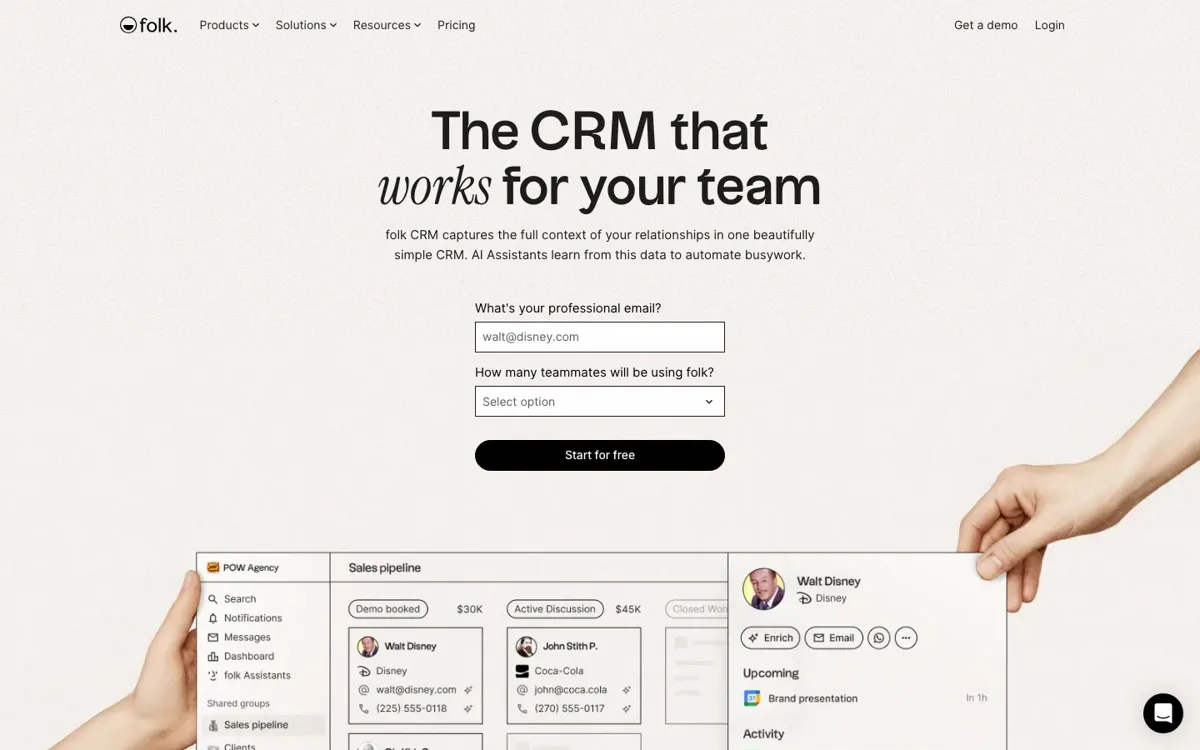
Official Website Snapshot Visit Site ↗

check_circle Pros

  • It is strong at the first messy step most CRMs underserve, getting contacts out of LinkedIn, websites, and conversations into a usable system before the team forgets them.
  • The combination of enrichment, AI fields, reminders, and messaging gives smaller sales and partnerships teams a real way to run follow-up without stitching together several separate tools.
  • The pricing page is detailed enough to show where API access, quotas, sequences, account sync limits, and advanced permissions actually start, which makes plan selection clearer than in many CRM sites.

cancel Cons

  • There is no lasting free plan. The site pushes a 14-day trial, and accounts are paused after the trial if you do not upgrade.
  • The cheapest usable tier is not especially cheap once multiple teammates need seats, so folk can get expensive fast for small teams that only need basic contact tracking.
  • Its value is tightly tied to outbound, follow-up, and relationship workflows, so teams shopping for a broader all-purpose CRM stack may still find it narrower than larger incumbents.

Should you use it?

Best for: Sales, partnerships, recruiting, and founder-led teams that need to capture contacts from LinkedIn or the web, enrich them, and keep follow-up moving without maintaining a bloated CRM by hand.

Skip it if: Skip folk if you only need a simple shared contact list or if your team wants a true free CRM. It is priced like an active revenue workflow tool, not a lightweight address book.

Is it worth the price?

Paid Starts at $24.00 USD

The 14-day trial is enough to test whether the capture-plus-follow-up workflow fits your team, but not enough to count as a free operating plan. The pricing starts to make sense when contact enrichment, outreach, and reminder automation are replacing manual pipeline chasing for several teammates every week.

Paid Upgrade
Monthly billing starts at $30 per member per month for Standard. Annual billing starts at $24 per member per month.

Paid access unlocks the CRM itself, with higher tiers adding API access, custom objects and deals, email sequences, dashboards, advanced roles and permissions, and larger quotas for enrichment, AI fields, and workflow assistants.

One thing to know before you start

Test folk with a real contact-capture workflow, not a fake sample list. If your team is not regularly pulling people from LinkedIn, inboxes, or partnerships work into follow-up flows, its sharpest advantage will be wasted.

What people actually use it for

Turn LinkedIn prospecting into a live CRM

A strong fit when leads are discovered in LinkedIn or on company sites, then lost in tabs, notes, or spreadsheets. folkX captures the contact, enrichment fills the blanks, and the CRM gives the team one place to decide who needs a message, reminder, or next step.

Run partnerships and founder outreach without CRM sprawl

Useful for small teams juggling intros, warm leads, partner conversations, and follow-ups across email and WhatsApp. folk keeps those interactions attached to the contact so the next message does not depend on someone remembering the backstory.

Coordinate multi-person pipeline follow-up

Good when several teammates need shared visibility on deal stages, contact history, and who should act next. Shared pipelines, roles, reminders, and message workflows make the handoff cleaner than spreadsheet-based tracking.

What does folk actually do?

folk solves a familiar revenue-team problem: contacts live everywhere except the CRM. A lead is spotted on LinkedIn, an intro arrives by email, a partner conversation continues on WhatsApp, and by the time someone tries to log it properly the context is already gone. Traditional CRMs promise order but often ask the team to do more admin first. That is the gap folk targets. It tries to make the first move, capture the relationship, enrich the record, and keep the conversation visible, fast enough that people will actually use it instead of falling back to a private spreadsheet.

The product earns its keep when the team's daily work starts outside the CRM. The Chrome extension pulls contacts in from the web, enrichment adds business details, and the workspace ties email, calendar, WhatsApp, pipelines, and AI-assisted follow-up into one operating surface. That is more useful than a generic contact database because it removes several tiny delays that kill outbound consistency. Instead of asking a rep or founder to gather context, write a message, remember the next step, and update the record later, folk tries to keep all of that moving in one loop.

Its limits are easier to see once you move past the trial. folk is not a free CRM, and the seat-based pricing adds up quickly if the team only needs basic contact storage. It also stays closest to sales, partnerships, recruiting, and relationship-heavy work rather than trying to be a giant all-department system. If your business needs deep enterprise process coverage, or if your team will never use capture, enrichment, sequences, and AI reminders at real volume, the product can feel more expensive than its lightweight branding suggests.

What you can do with it

Capture contacts from LinkedIn and the web with the folkX Chrome extension.
Enrich people and company records with emails, phone numbers, and company context.
Sync email, calendar, WhatsApp, and thousands of integrations into one contact timeline.
Run outreach with AI-assisted drafts, messages, sequences, and follow-up reminders.
Manage shared pipelines, dashboards, roles, and permissions for collaborative sales work.

Technical details

platform
Web CRM with Chrome extension capture and a desktop app download.
deployment
Cloud SaaS with SOC 2 Type I, GDPR compliance, and Google security certification claims on the site.
api_available
Yes. API access appears on Premium and above in the pricing table, with REST API listed among plan features.

Top Alternatives to folk

If folk is close but still misses the job, try one of these instead.

Key Questions

Does folk have a real free plan?
No. The site offers a 14-day free trial without a credit card, but it does not present a permanent free tier. If you do not upgrade after the trial, the account is paused rather than left running indefinitely.
What makes folk different from a heavier CRM?
Its biggest advantage is speed at the front of the workflow. It is built to capture contacts from the web, enrich them, and keep follow-up moving, instead of forcing a team into a large CRM rollout before the data is useful.
When does the Premium tier start to matter?
Premium matters once your team needs API access, custom objects, sequences, dashboards, advanced permissions, or larger quotas for enrichment and AI features. If you only need basic pipeline and contact tracking, Standard is the first real checkpoint.