NightCafe Review

7.5/10

Create AI images and videos with many models, then share them through NightCafe's challenge-driven art community.

Review updated May 2026 By The AI Way Editorial Tested 166+ tools across the site 6 min read
NightCafe Commercial Rights Image-to-Video Text-to-Image Web-Based Freemium

Our Verdict

NightCafe is worth opening if you want one account that covers AI image generation, prompt-based editing, and newer video models while also giving you a reason to come back tomorrow. Its real moat is not raw model quality alone, it is the way challenges, streaks, galleries, and chat keep casual creators active long after the first prompt. But the product now asks you to think about fast credits, relax queues, model gating, and plan tiers, so it feels better as a hobbyist home base than as a cheap no-friction production tool.

Try it
Free to start, then pay when the limits stop you.
open_in_new Try NightCafe

What people keep saying about it

Public discussion still praises NightCafe for being fun, social, and easy to keep using as a daily art habit. The recurring complaints are about subscription value, credit policy changes, and the feeling that newer premium models are pulling the product away from the simpler free-credit routine long-time users got used to.

Official Website Snapshot Visit Site ↗

check_circle Pros

  • It bundles a wide spread of image and video models into one account, so you can test different generation styles without rebuilding your workflow each time.
  • The community layer is not cosmetic, daily challenges, public galleries, and chat rooms give solo creators a reason to keep making instead of bouncing after one session.
  • Free users still get daily credits and access to a broad set of models, which is enough to learn the product before paying.
  • Commercial use is allowed on free-plan creations as long as you control any reference assets you upload.

cancel Cons

  • The pricing logic is harder to parse than a simple subscription because usage now splits across fast credits, relax credits, unlimited tiers, and model-specific restrictions.
  • Some of the most attractive newer models require paid fast credits, so free usage does not map cleanly to the best headline features.
  • Recent public discussion around credit updates shows real friction from long-time users who feel rewards and subscription value have tightened.

Should you use it?

Best for: Best for building a repeatable AI art habit around daily challenges, public feedback, and side-by-side model experimentation. It also fits quick social content runs where you want to move from prompt to still image to short video without opening a second tool.

Skip it if: Skip this if you only want the cheapest straight path from prompt to finished asset and do not care about galleries, challenges, or community rewards. Also skip it if credit rules and queue tiers will annoy you faster than model variety will help you.

Is it worth the price?

Freemium

The free plan is good for learning the interface, entering challenges, and making regular low-stakes creations. You start feeling the paywall when you want faster runs, premium image models, or more serious video work, and that is exactly where NightCafe's value debate starts.

The Free Tier

Free users get 5 daily credits plus challenge rewards, but heavier use shifts into lower-priority relax queues and some premium models require paid fast credits.

Paid Upgrade
Contact for pricing

PRO adds fast credits, priority processing, broader access to premium models, and more unlimited generation tiers.

One thing to know before you start

Use free or lower-cost models to explore prompts, then save paid fast credits for the final image or video pass. NightCafe gets expensive when you spend premium credits on early experimentation instead of on shortlisted prompts.

What people actually use it for

Daily prompt practice with community feedback

If you want a reason to create every day instead of only when you have a client brief, NightCafe is built for that loop. You can bring a text prompt into the image generator, enter a daily challenge, publish the result, and get immediate reactions through voting, comments, and chat. That matters because the biggest blocker for casual AI art use is not model access, it is running out of reasons to come back. NightCafe solves that better than plain one-shot generators, though it becomes less appealing if you do not care about public participation at all.

Trying many image models before choosing a style

NightCafe works well when you know the scene you want but do not yet know which model family will render it best. You can start with a text prompt, test a few image models from the same account, compare prompt adherence against style, then move to a higher-tier model only when the composition is already close. That saves tool-switching time and keeps model exploration in one place. The catch is that the more often you jump into premium models too early, the faster the credit system starts to feel expensive.

Making social-ready images and simple AI videos from one account

For creators who need both stills and short motion pieces, NightCafe gives you a practical bridge between image generation and video generation. You can create an image, refine it, and then move into prompt or image-driven video without leaving the platform or opening a separate billing relationship. That is useful for quick content production and experimentation. It is less ideal if your workflow depends on long-form video control, team review, or enterprise-style asset management, because NightCafe is still built around creator play more than production operations.

What does NightCafe actually do?

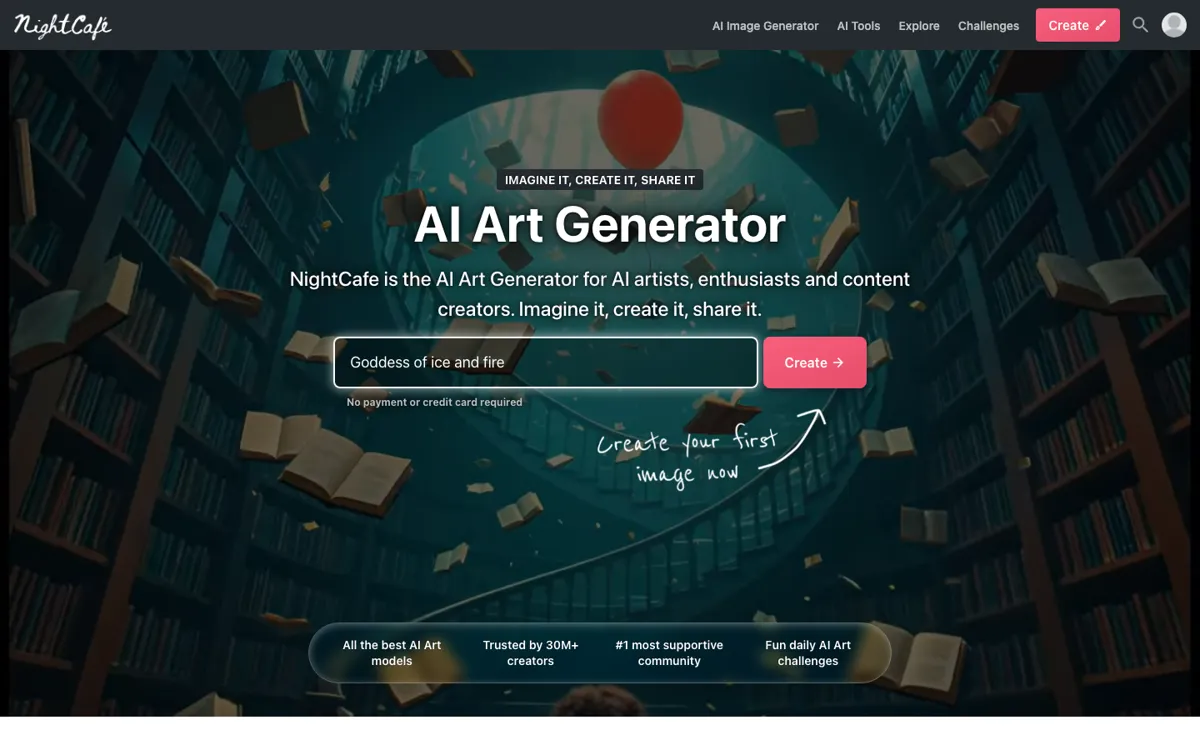
Most AI art tools get opened for a burst of curiosity and then disappear from the browser a week later. You type a few prompts, burn through the obvious ideas, and then the product has nothing left to pull you back. NightCafe attacks that exact drop-off problem by treating AI creation as a repeated hobby instead of a single transaction. The homepage does not just tell you to generate an image. It pushes you toward daily challenges, community voting, chat rooms, streaks, and public galleries. That matters because many hobbyist creators do not actually need another standalone generator. They need a place that keeps the blank page from winning on day ten, day thirty, and day one hundred.

The product side that makes this work is breadth. NightCafe lets you generate images from text, edit existing images with prompts, create shared characters, and move into AI video from prompts or source images. It also keeps adding newer premium models, which means you can compare looks and capabilities without maintaining separate accounts across half a dozen generators. For a casual creator or content maker, that is the practical win: one login, many models, visible community examples, and enough free usage to learn the ropes. When you use it carefully, especially by testing ideas on cheaper models before spending premium credits, it can cover a surprising amount of creative ground from one dashboard.

The limitation is that NightCafe increasingly behaves like a managed economy, not a simple subscription. Fast credits, relax credits, queue priority, model gating, reward changes, and top-ups all shape how the product feels once you move beyond casual use. Recent official updates reduced some free reward values and pushed more expensive models toward paid fast-credit usage, which helps explain why public discussion now includes more friction around whether the product is still worth renewing. So the boundary is pretty clear: NightCafe is strong when you want a social, habit-forming AI art home base with lots of models in one place. It is weaker when you want predictable low-cost throughput with minimal rules standing between the prompt and the asset.

What you can do with it

Generate images from text prompts across many image models from one interface.
Turn prompts or source images into short AI videos without leaving the platform.
Edit existing images with prompt-based changes instead of starting from scratch.
Create recurring challenge entries, publish results, and collect feedback inside the built-in community.
Use shared characters and reference images to keep creations visually connected.
Switch between free daily credits, earned relax credits, and paid fast credits depending on model and speed needs.

Technical details

platform
Web app with installable iPhone and Android home-screen experience
deployment
Cloud
credit_system
Paid fast credits skip the queue, while relax credits come from daily activity, badges, and challenge participation
model_support
One account spans image and video models including Flux, DALL·E 3, Ideogram, Seedream, Nano Banana, SDXL, Kling, Runway, and Veo
commercial_use
Free-plan creations can be used commercially if you own or have permission to use any source assets
community_loop
Daily challenges, streaks, chat rooms, and public galleries are built into the same place where you generate art

Top Alternatives to NightCafe

If NightCafe is close but still misses the job, try one of these instead.

Key Questions

Is NightCafe actually usable without paying?
Yes, for casual creation it is. You get daily free credits, extra credits from challenge participation, and access to a broad part of the model catalog, but the newest or more expensive models increasingly lean on paid fast credits.
What makes NightCafe different from a plain AI image generator?
The clearest difference is that it wraps the generator inside a community system. You are not just making an image and leaving, you can enter daily challenges, keep streaks alive, publish work, and get feedback without moving to another platform.
When does a PRO plan start to make sense?
It starts making sense when you want faster runs, premium image models, or regular AI video generation. If you are mostly experimenting or entering occasional challenges, the free plan stretches much further.
Can you use NightCafe creations commercially?
Yes, NightCafe says commercial use is allowed even on the free plan. The important condition is that you must own or have permission to use any original assets you upload, and local copyright rules can still vary by country.