MoneyPrinterTurbo Review

7.1/10

Generate short videos from a topic or keyword with AI-written scripts, footage, voice, subtitles, and music.

Review updated June 2026 By The AI Way Editorial Tested 311+ tools across the site 5 min read
harry0703 API Available Auto Subtitles Open Source Self-Hosted Text-to-Video Video Editing Freemium

Read this first

Do not expose the API casually. Older MoneyPrinterTurbo 1.2.x security advisories mention authentication and file-write risks, so a public deployment needs current code, restricted access, and normal server hardening.

Our Verdict

MoneyPrinterTurbo is worth listing because it owns a very specific promise: type a topic, get a short video assembled from script, footage, voice, captions, and music. Its biggest value is not cinematic generation; it is repeatable faceless-video production for people willing to run an open-source stack. The main cost is setup and maintenance, especially API keys, local media tooling, and security hygiene if the API is exposed.

Try it
Free to start, then pay when the limits stop you.
open_in_new Try MoneyPrinterTurbo
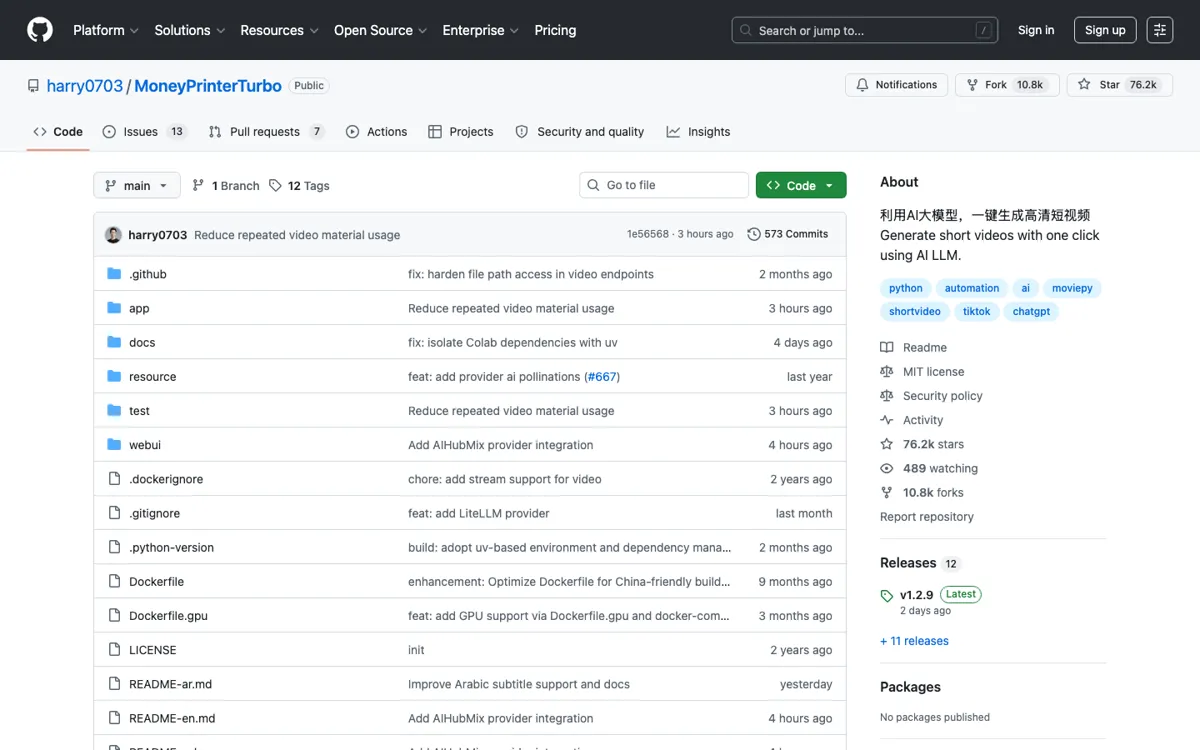
Official Website Snapshot Visit Site ↗

check_circle Pros

  • Covers the whole short-video assembly chain instead of stopping at script generation or captioning.
  • Gives technical users more control than most hosted prompt-to-video tools: local deployment, API access, provider choice, and subtitle/music settings.
  • Batch generation is useful for Shorts and Reels testing because users can produce several versions from one topic and choose the least weak output.
  • GitHub traction is unusually strong for this niche: the 2026-06-02 discovery run caught +3,375 stars in one day, which makes tutorials, fixes, forks, and community troubleshooting easier to find.

cancel Cons

  • Not a clean SaaS onboarding flow; users still need to handle Python, Docker or Colab, API keys, media dependencies, and local paths.
  • Weak model, voice, footage, or subtitle choices can turn the same topic into a generic clip very quickly.
  • Public security records mention API endpoint vulnerabilities in older 1.2.x versions, so exposed deployments need version checks and access controls.
  • The project automates faceless content production, but it does not replace brand judgment, editing taste, or rights review for every asset.

Should you use it?

Best for: Creators or operators who want to generate many faceless Shorts, TikToks, Reels, or explainer clips from topic lists and are comfortable running a local Python/Docker project.

Skip it if: Skip it if you need a hosted editor with team billing, brand templates, approvals, stock licensing guarantees, or a support team you can contact when rendering breaks.

Is it worth the price?

Freemium

There is no public SaaS pricing page to compare. The real bill is the model, voice, transcription, storage, and compute stack you connect to it, plus the time spent keeping the local environment working.

One thing to know before you start

Start with Docker or Colab before tuning every provider. Once one full video renders, change only one variable at a time: script model, voice provider, subtitle mode, or footage source.

What people actually use it for

Bulk faceless Shorts from a keyword list

Feed in repeatable topics such as product tips, glossary terms, affiliate niches, or simple explainers, then generate several clips per idea. The useful part is not that every clip will be good; it is that one operator can create enough variants to find usable videos without opening a timeline editor for each attempt.

Self-hosted short-video pipeline for technical creators

Run the Web UI locally, connect preferred LLM and voice providers, and keep the generation chain under your own machine or server. This fits users who care about provider choice, local files, API access, and repeatable scripts more than a polished hosted dashboard.

Prototype an AI video service or internal content tool

Use the API service and modular Python project as a starting point for a custom video-generation tool. Teams can inspect the pipeline, replace providers, wire in their own assets, or build a queue around the local API instead of waiting for a SaaS vendor to support their exact format.

What does MoneyPrinterTurbo actually do?

MoneyPrinterTurbo sits in a different lane from polished AI video suites. It does not mainly sell cinematic generation, avatar presenters, or enterprise review flows. Its bet is simpler: most short social videos are assembled from a script, footage, voice, captions, and music, so those steps can be wired together. That makes it attractive for people creating high-volume faceless content, tutorial snippets, niche explainers, and experimental Shorts where speed matters more than a perfect brand system.

The project is still an operator tool. Before a clean render, users may have to fix local paths, Python 3.11 or Docker, ImageMagick, ffmpeg, network access, API keys, and provider configuration. The README even calls out issues such as Chinese paths, VPN/network problems, missing ffmpeg, ImageMagick policy errors, too many open files, and Whisper model downloads. Those details are a warning label: MoneyPrinterTurbo can save editing time after it is running, but setup is part of the product experience.

The strongest SEO angle is the gap between curiosity and deployment. A lot of users will search for MoneyPrinterTurbo because the promise is easy to understand and the GitHub numbers are huge. The questions that matter are narrower: whether it can run without a GPU, which model provider to use, how to use Docker or Colab, whether the Windows package is current, what to do about subtitles, and when a hosted alternative like Invideo AI or Descript is the better answer.

What you can do with it

Turns a topic or keyword into a complete short-video pipeline: script, footage, voiceover, subtitles, music, and rendered output.
Supports vertical 9:16 videos at 1080x1920 and horizontal 16:9 videos at 1920x1080.
Can generate multiple video versions in one batch so creators can pick the best result instead of rerunning one clip at a time.
Includes both a Web UI and an API service, with Docker, manual Python setup, Windows package, and Google Colab paths.
Lets users tune clip duration, subtitle position, font, color, outline, background music, and music volume.
Connects to many model providers, including OpenAI, Azure, Gemini, Ollama, DeepSeek, MiniMax, Qwen, Wenxin, ModelScope, and one-api style gateways.

Technical details

local_api
Local API service starts with python main.py or uv run python main.py; interactive docs are exposed at /docs and /redoc.
video_pipeline
Topic or keyword input flows through script generation, media selection, voice synthesis, subtitle rendering, background music, and final MoviePy composition.
deployment_paths
Docker Compose, uv sync --frozen, legacy venv and pip setup, Windows one-click package with update.bat, and Google Colab notebook.
runtime_dependencies
Python 3.11 project with Streamlit Web UI, ImageMagick, ffmpeg, optional Whisper subtitle model, and provider API keys.

Top Alternatives to MoneyPrinterTurbo

If MoneyPrinterTurbo is close but still misses the job, try one of these instead.

Key Questions

Is MoneyPrinterTurbo a hosted SaaS product?
No. Treat it as an open-source self-hosted project first, with local Web UI, API, Docker, Windows package, and Colab routes rather than a normal hosted subscription app.
Does MoneyPrinterTurbo generate video from scratch?
Not in the same sense as cinematic text-to-video models. It assembles short videos from AI-written copy, video material, voice, subtitles, background music, and rendering settings.
Do you need a GPU to use MoneyPrinterTurbo?
A GPU is not required for basic use, but the README recommends dedicated VRAM for local transcription, faster video processing, and smoother batch generation.
What is the main setup catch?
The main catch is dependency and provider setup. Users may need API keys, Pexels/media configuration, ImageMagick, ffmpeg, Python 3.11 or Docker, and optional Whisper model files.