Krisp Review

8.2/10

AI meeting assistant for noise cancellation, transcription, and automated notes

Review updated May 2026 By The AI Way Editorial Tested 262+ tools across the site 4 min read
Krisp API Available Audio Editing Free Forever Meeting Notes SaaS Summarization Team Collaboration Transcription Web-Based Freemium

Our Verdict

Krisp is most valuable when bad audio and bad meeting memory show up in the same workflow. Plenty of products handle notes, and plenty handle sound cleanup, but Krisp's advantage is doing both in one meeting assistant. That makes it easier to justify than a standalone transcript tool if your team constantly loses time to noisy calls, missed details, and post meeting cleanup.

Try it
Free to start, then pay when the limits stop you.
open_in_new Try Krisp
Official Website Snapshot Visit Site ↗

check_circle Pros

  • Noise cancellation gives it a concrete edge over note takers that only start helping after the meeting is already messy.
  • AI note taker and transcription features reduce the manual recap work that usually follows internal and customer calls.
  • The pricing structure is easier to trust than products that hide the entry plan, because the public material clearly shows a free starting tier and broader team plans.
  • Developer surface area makes it more flexible for organizations that want Krisp to fit into larger communications or workflow stacks.

cancel Cons

  • If your calls are already clean and your team already has a strong note workflow, Krisp's combined pitch may feel broader than what you actually need.
  • Audio cleanup is easy to appreciate, but it is also easy for teams to underuse the note and workflow side if they never build habits around reviewing the outputs.
  • Meeting assistant products still depend on adoption discipline, especially in orgs where some people want recording and some people avoid it.
  • The strongest value shows up in active meeting cultures. If your collaboration is mostly async, the product has less room to earn its keep.

Should you use it?

Best for: Teams that run lots of voice or video meetings and want both cleaner audio and less post call admin from notes, summaries, and transcripts.

Skip it if: Skip it if you rarely join noisy calls and only need a barebones transcript archive, because Krisp earns its keep by combining sound cleanup with meeting intelligence.

Is it worth the price?

Freemium

The free tier makes Krisp easy to test, but the real buying decision is whether cleaner meetings plus automated notes save enough friction across the team to justify rollout beyond personal use.

The Free Tier

Krisp clearly exposes a $0 personal entry point and positions higher plans for teams and enterprises.

Paid Upgrade

Paid tiers are framed around expanded meeting capabilities, team use, and broader business deployment beyond the personal starter plan.

One thing to know before you start

Test Krisp in your noisiest recurring meeting first. If it fixes the audio and still gives usable notes, you will know quickly whether the combined workflow is worth the wider rollout.

What people actually use it for

Clean up noisy meetings and leave with usable notes

A distributed team dealing with traffic noise, shared workspaces, or poor home office setups can use Krisp to make calls easier to follow in real time, then rely on the transcript and AI notes afterward instead of manually rebuilding the meeting from memory. That is where the product feels materially better than using separate cleanup and note tools.

What does Krisp actually do?

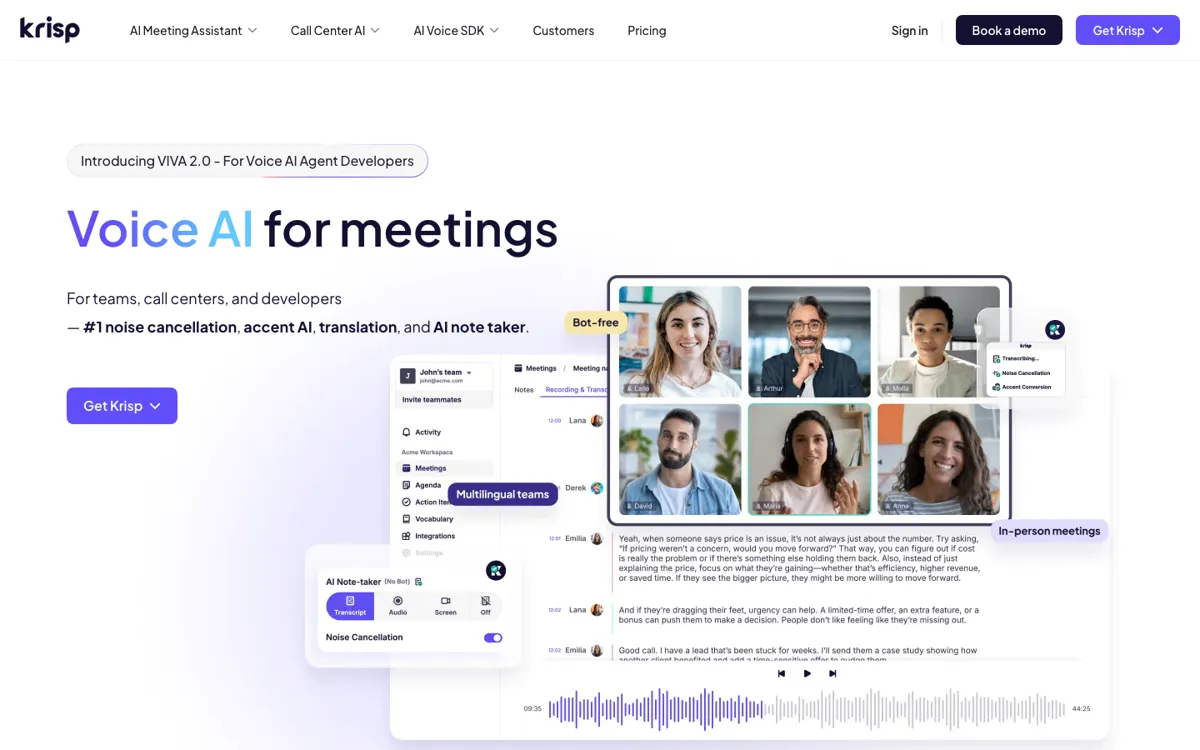
Krisp solves a meeting problem that usually gets split into two separate purchases. One tool makes the call easier to hear, and another tries to help after the call ends. Krisp brings those two moments together. That matters because meeting friction often starts with poor audio and ends with weak recall. If people struggle to hear the conversation clearly, the notes are already compromised before any AI summary starts. By handling audio cleanup and note capture together, Krisp attacks the problem earlier in the workflow than note takers that begin only after the conversation is already noisy.

The second reason the product is useful is that it reduces post meeting drag. Transcription and AI note taking are now common enough that they are no longer differentiators on their own. What still matters is whether the tool removes real team friction. Krisp has a stronger case when the same organization needs cleaner calls, better recall, and less manual follow up. In that setting, a combined assistant can justify itself better than stitching together one app for transcription and another for audio polish.

The limitation is that Krisp becomes less compelling when one half of its pitch is irrelevant. If your meetings are already quiet and your team only wants a simple archive, the sound layer does not matter enough. If your team hates recorded meetings, the note layer will underperform no matter how good the output is. Krisp works best when meeting pain is active, repeated, and expensive, not when the goal is simply to add one more AI feature to a workflow that already feels fine.

What you can do with it

Removes background noise and improves meeting audio clarity
Transcribes conversations and captures meeting content automatically
Generates AI meeting notes instead of leaving teams with raw transcripts only
Supports developers and platform extensions beyond the meeting app itself
Offers plans that scale from free personal use to teams and enterprise

Technical details

platform
Meeting focused web product centered on live audio cleanup, transcription, and AI note generation.
deployment
Cloud hosted collaboration product with personal, team, and enterprise plans built around meeting workflows.
api_available
Yes. Krisp surfaces a developer area, which matters if you want its audio or meeting intelligence capabilities to plug into wider workflows.

Top Alternatives to Krisp

If Krisp is close but still misses the job, try one of these instead.

Key Questions

Is Krisp mainly an audio tool or a meeting note tool?
It is both, and that is the point. Krisp is strongest when you need cleaner live calls and less work after the call, not just one side of that equation.
Who gets the most value from Krisp?
Teams that spend a lot of time in noisy voice or video meetings get the clearest upside because they benefit during the call and after it.
Can the free tier tell you if Krisp is worth it?
Yes, for initial fit. It is enough to test whether the audio cleanup and note workflow actually reduce pain in your real meetings before you consider a broader paid rollout.