Krea Review

9.1/10

Krea's current Krea 2 model focuses on style references, moodboards, and faster visual iteration.

Review updated May 2026 By The AI Way Editorial Tested 174+ tools across the site 6 min read
Krea Commercial Rights Image-to-Image No Credit Card Required Text-to-Image Web-Based Freemium from $9.00/mo

Our Verdict

Krea, in its current Krea 2 phase, is for people who care more about art direction than prompt perfection. Its biggest draw is that you can push one idea through style references and moodboards, then get several visually distinct takes back fast enough to stay in flow. The catch is that the standout Krea 2 access sits higher up Krea's pricing ladder, so the model makes more sense for serious visual work than for casual free-plan dabbling.

Try it
Free to start, then pay when the limits stop you. Starts at $9.00 USD.
open_in_new Try Krea
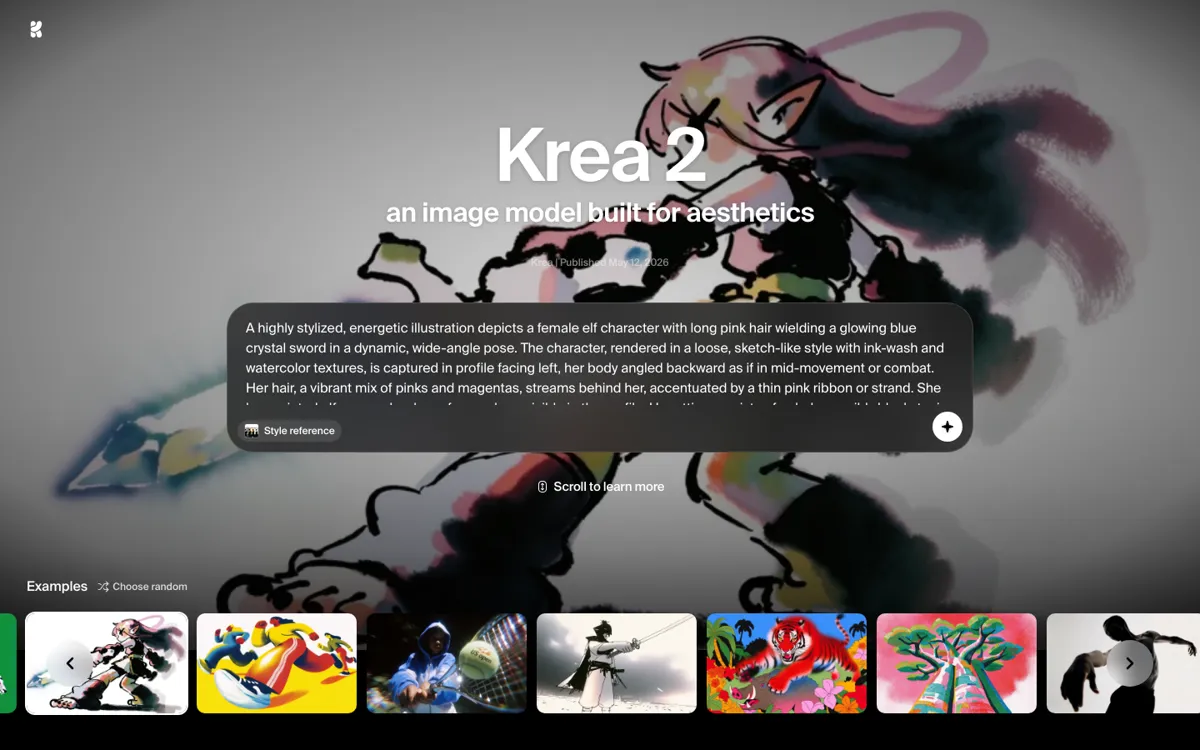
Official Website Snapshot Visit Site ↗

What people actually use it for

Build a campaign moodboard before the art direction is fully locked

Krea 2 works well when a team knows the feeling it wants but not the exact final image yet. You can gather references, shape a moodboard, and spin out several directions quickly enough to compare what actually feels right. That is more useful than a one-prompt tool when the hardest part of the job is agreeing on taste, not generating a single asset.

Explore product imagery or editorial looks without stalling the creative loop

A marketer, designer, or art director can use Krea 2 to test different materials, tones, or compositions without waiting through a slow batch cycle each time. The under-15-second generation claim matters here because the value is not one perfect answer. It is staying in motion long enough to find a direction worth refining.

Push one prompt into several distinct styles instead of getting four near-duplicates

Krea 2 is a stronger fit when a simple prompt is only the starting point and you want the model to branch into noticeably different visual readings. That is useful for concept work, pitch decks, and early-stage visual R&D. If you already know the exact look and only want faithful repetition, the surprise factor becomes less valuable.

check_circle Pros

  • It gives you more than prompt-only steering, which matters when the real task is locking a look rather than naming objects correctly.
  • Moodboards make it easier to push toward mixed aesthetics that would be awkward to cram into one long prompt.
  • The page's under-15-second generation pitch supports a faster explore-decide-repeat loop than slower image tools usually allow.
  • Krea wraps the model inside a broader creative stack, so Krea 2 can feed directly into editing, enhancement, and workflow steps instead of stopping at first-pass generation.

cancel Cons

  • Official pricing puts Krea 2 access above the entry plans, so the model is not the obvious choice if you only want a cheap place to test prompts.
  • A lot of the appeal depends on whether you actually use style references and moodboards, because that is where the product tries to separate itself.
  • If you want strict literal prompt execution more than visual range, the model's emphasis on surprise and ambiguity may feel less predictable than you want.

Should you use it?

Best for: Best for building moodboards, testing campaign looks, shaping editorial directions, or exploring product concepts when you need references to steer the output instead of relying on prompt wording alone.

Skip it if: Skip it if you only need a low-cost prompt-to-image tool or if your workflow does not involve references, style matching, or visual exploration. It also makes less sense if you expect the best part of the model on Krea's cheapest tiers.

Is it worth the price?

Freemium Starts at $9.00 USD

Krea does have a real free plan, but that is mainly a way to sample the broader platform, not the full Krea 2 proposition. The official pricing page makes Krea 2 feel like a higher-tier feature, so the value only sharpens once you already care about premium image access, faster throughput, and a workflow built around serious visual iteration.

The Free Tier

The free plan includes 100 compute units per day, no credit card requirement, and limited access to image, video, 3D, lipsync, upscaling, and LoRA features.

Paid Upgrade
$9/month

Paid plans raise compute limits and unlock broader model access, while Krea 2 access appears on higher tiers such as Max and Business.

One thing to know before you start

Do not treat Krea 2 like a plain prompt box. It gets more interesting when you collect reference images first, because the whole point is steering visual taste instead of writing longer prompts forever.

What does Krea actually do?

A lot of image generators break down at the exact moment creative work gets interesting. You have a rough prompt, maybe a few references, and a clear feeling for the direction, but not a final sentence precise enough to force the right look on the first try. Most tools answer that with longer prompting and more rerolls. Krea 2 is aimed at a different problem. The page frames the model around aesthetics, style references, and moodboards, which means the job is not merely turning words into pictures. The job is helping someone push toward a visual language they can actually use in a campaign, concept board, editorial treatment, or product exploration cycle without flattening everything into the same repeated composition.

The strongest part of the pitch is how Krea 2 keeps the loop moving. The model page says generations land in 15 seconds or less, and the surrounding Krea product stack already includes editing, enhancement, nodes, and other workflow tools. That matters because the product is not selling one static image endpoint. It is selling momentum. Style references let you point the model toward a specific look, while moodboards let you pull in several visual cues when one image is too narrow to carry the whole direction. For creative teams, that means the model can be useful before production starts, when the real task is deciding what the work should feel like, not merely filling a slot with another polished but generic render.

The main limitation is pricing position. Krea does offer a free plan and lower paid tiers, but the official pricing page puts Krea 2 access on higher plans, which changes the audience immediately. This is not the obvious starting point for someone who just wants a cheap prompt toy or a low-risk occasional generator. It also means the value depends on whether style steering, moodboard workflows, and iteration breadth are actually central to your process. If they are, the higher tier can make sense because it saves rounds of art-direction drift. If they are not, you may be paying for a form of visual control you will never really use.

What you can do with it

Generate images from short prompts while steering the look with style references.
Build moodboards from multiple images and use them to guide one shared visual direction.
Return varied outputs in 15 seconds or less instead of forcing one narrow composition loop.
Use the model for campaign concepts, product imagery, editorial looks, and brand exploration.
Push generations further inside Krea's broader image, video, edit, enhancer, and nodes workflow stack.

Technical details

platform
Runs inside Krea's web studio, where Krea 2 sits alongside editing, enhancement, realtime, video, and node-based workflow tools rather than as a standalone model endpoint.
deployment
Cloud-hosted inside Krea's subscription stack, with official pricing showing Krea 2 access on higher plans such as Max and Business instead of on the lower tiers.
api_available
Krea's docs expose official API and model API documentation, but the public pricing page positions Krea 2 as a premium in-product capability, not as an openly documented Krea 2 API product page.

Top Alternatives to Krea

If Krea is close but still misses the job, try one of these instead.

Key Questions

What makes Krea 2 different from a normal text-to-image model?
It is built around visual steering, not just longer prompts. Style references and moodboards are part of the core workflow, so the product is better suited to people shaping a look rather than only naming scene elements.
Can you try Krea without paying first?
Yes, Krea has a free plan with daily compute units and no credit card requirement. But the pricing page places Krea 2 access higher up the ladder, so the free plan is more of a Krea trial than a full Krea 2 experience.
Who gets the clearest value from Krea 2?
Creative teams and serious individual creators get the clearest value when they work from references, moodboards, and multiple visual directions instead of one literal prompt. That is where the model's style-control pitch matters most.
Is Krea 2 for final production assets or early exploration?
It is strongest in early and middle-stage exploration, where you need strong directions fast and want to keep refining the look. It can feed later production work, but the product pitch is most convincing when the problem is creative iteration.