Jobright Review

8.0/10

AI job search copilot for matching roles, fixing resumes, and speeding up applications.

Review updated May 2026 By The AI Way Editorial Tested 262+ tools across the site 4 min read
Jobright B2B HR Tech Lead Enrichment Recruiting Web-Based Writing Assistant Freemium

Our Verdict

Jobright is most useful when the real pain is not writing one better resume bullet, but keeping an entire job search moving. Its edge is that it connects matching, resume help, autofill, and search guidance in one loop, which makes it more practical for active applicants than tools that only rewrite text. The downside is that if you are not applying at volume, a big part of the workflow advantage may never matter enough to justify switching from simpler resume tools.

Try it
Free to start, then pay when the limits stop you.
open_in_new Try Jobright
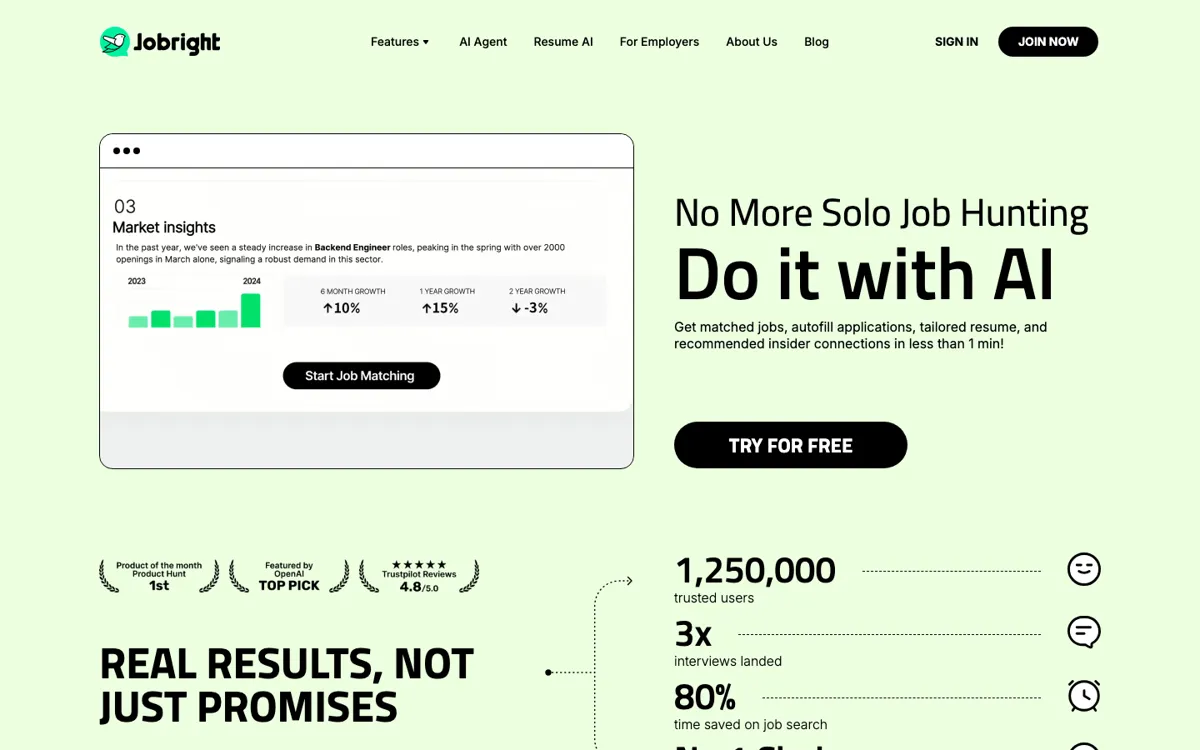
Official Website Snapshot Visit Site ↗

check_circle Pros

  • It tackles several bottlenecks at once, including role matching, resume rewriting, and application speed, which is more useful than a single-purpose resume editor during an active search.
  • The ATS-aware resume angle gives it more practical hiring relevance than generic career-writing tools.
  • One-click or autofill-style application help matters when the real job is maintaining momentum across many openings, not polishing one document forever.

cancel Cons

  • Public pricing clarity is weak from the official pages captured here, which makes it harder to judge cost before committing.
  • The strongest value depends on applying to enough jobs that automation and search pace actually matter.
  • If you only want occasional resume cleanup, the broader workflow can feel like more product than you need.

Should you use it?

Best for: Active job seekers submitting to many roles who need matching, resume help, and application acceleration in the same workflow.

Skip it if: Skip it if your search is low-volume or if you mainly need one polished resume rather than a full application pipeline assistant.

Is it worth the price?

Freemium

Jobright looks easiest to justify when the job search itself has become a repeated system problem. If you are applying broadly and often, time savings matter. If not, weaker public pricing visibility becomes harder to excuse.

The Free Tier

The product appears to support free entry or trial-style access, but the captured official pages did not expose a reliable public limit table in this run.

Paid Upgrade

Paid value likely centers on deeper workflow acceleration across matching, resume refinement, and application automation, but exact public plan details were not cleanly captured here.

One thing to know before you start

Test Jobright on a real week of applications, not a single resume session. The product only proves itself when you can see whether it actually cuts the friction between finding roles and getting high-quality applications out the door.

What people actually use it for

Keep a high-volume job search moving without drowning in repetitive forms

Jobright is strongest when the search has already turned into a numbers game and the admin burden is slowing you down. If you are matching to many roles, revising your resume repeatedly, and filling the same fields over and over, the combined copilot-plus-autofill workflow can remove enough friction to matter day to day.

What does Jobright actually do?

A lot of AI job tools fixate on the resume as if the whole search begins and ends there. In real use, that is rarely the hardest part. The real drag is that job searching becomes a stack of repetitive chores: finding roles worth opening, adjusting your resume, figuring out fit, and then re-entering the same information into yet another application form. Jobright is more interesting because it targets that broader loop. The pitch around an AI job search copilot, resume AI, and application autofill makes it clear that the product wants to reduce the total search burden, not just prettify one document.

That wider workflow angle is where Jobright becomes more useful than generic resume-writing apps. ATS-focused resume support matters because the output still has to survive screening systems, but the bigger win is maintaining pace once applications multiply. A one-click or autofill helper can save more practical energy across dozens of applications than another round of wording tweaks on a single resume. For active candidates, especially in competitive markets, that kind of throughput support can matter more than abstract career-coach advice.

The limitation is that Jobright is easiest to defend when the search is already serious enough to justify system-level help. If you are exploring casually, applying to only a few roles, or mainly rewriting one resume, the broader workflow may feel oversized. Pricing visibility also stays weaker than ideal from this evidence set, because the official pages we captured did not surface a clean public ladder. So Jobright looks strongest when search velocity is your real problem. If it is not, a narrower resume tool or a simpler tracker may be enough.

What you can do with it

Match users to job opportunities through an AI job search copilot.
Improve resumes with an AI resume builder tuned for ATS-style screening pressure.
Speed up job applications with autofill and one-click workflow support.
Use Orion Copilot for guided job-search assistance instead of isolated resume edits.
Support both candidate-side search and employer-side candidate matching inside the same company ecosystem.
Reduce repetitive application steps so active applicants can keep up a higher submission pace.

Technical details

platform
Browser-based recruiting and job-search workflow product for candidates and employers.
deployment
Cloud workflow focused on search matching, resume iteration, and job application acceleration.
api_available
No public API evidence was captured in the official source set for this run.

Top Alternatives to Jobright

If Jobright is close but still misses the job, try one of these instead.

Key Questions

Is Jobright mainly a resume tool?
No. Resume help is part of it, but the bigger value is that it also tackles matching, job-search guidance, and application speed.
When does Jobright help more than a normal resume builder?
It helps more when you are applying to many roles and the repetitive search-and-apply cycle is wearing you down. That is where workflow support matters more than better wording alone.
Should low-volume applicants use Jobright?
Only if they expect their search to intensify. If you are only applying to a few roles, a simpler resume or job-tracking tool may cover enough.
What is the clearest reason to choose Jobright over a standalone resume app?
Choose it when the bottleneck is the whole application loop, not just the document. Jobright is more useful when matching, autofill, and search pace matter as much as resume wording.