Higgsfield Supercomputer Review

7.8/10

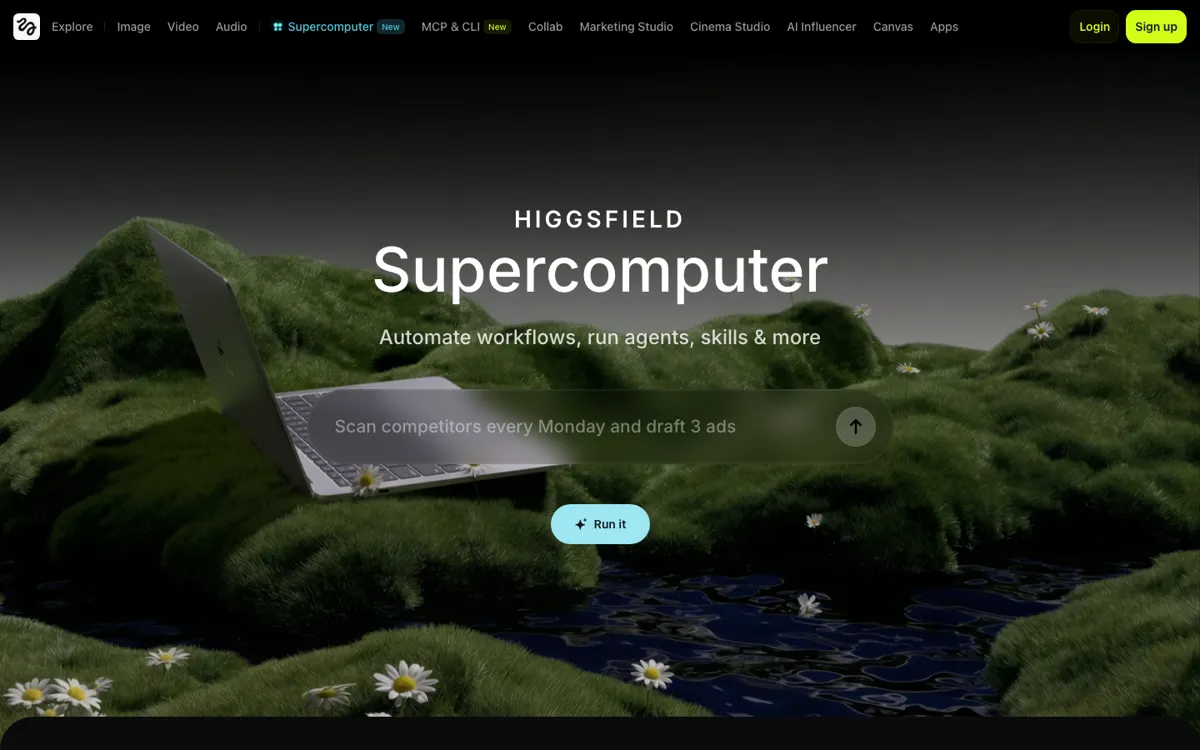
An agentic creative workspace for running image and video generation tasks with memory, model routing, connectors, and scheduled automation.

Review updated May 2026 By The AI Way Editorial Tested 181+ tools across the site 4 min read
Higgsfield AI Agents App Integration Production Workflows Workflow Builder

Our Verdict

Higgsfield Supercomputer is worth opening when the real problem is not generating one asset, but managing creative iteration across models, tools, and repeated tasks. Its strongest move is that it treats creative generation like an operating workflow, not like a slot machine. The tradeoff is that this is a heavier product than a normal generator, so it only pays off if you actually need orchestration.

Official Website Snapshot Visit Site ↗

check_circle Pros

  • It gives Higgsfield a real agent layer instead of stopping at one-off image or video generation.
  • Memory, connectors, skills, and scheduled tasks point to a workflow product, not just a flashy creative demo.
  • The memory-and-automation angle is easier to justify for teams that want repeated output and less setup friction instead of another isolated generation tool.

cancel Cons

  • The fetched pages still do not expose clean pricing, so the cost side of this workflow is not yet easy to judge.
  • This is a much heavier concept than a normal creative tool, so many users will understand the demo before they understand why they would open it daily.
  • If the underlying workflow still depends on users managing too many moving parts or too many external costs, the product risks spreading faster than it sticks.

Should you use it?

Best for: Best for creative operators, growth teams, and advanced AI content users who want memory, automation, and workflow continuity around image or video production instead of single-shot generation.

Skip it if: Skip this if you mainly want one fast image or video output with minimal setup. Supercomputer only makes sense when orchestration, repetition, and workflow continuity matter more than raw simplicity.

Is it worth the price?

Right now the product story is easier to understand than the buying story. The workflow sounds powerful, but until official pricing and cost structure are clearer, users still cannot tell whether Supercomputer saves money or simply moves the complexity into a better-looking control panel.

One thing to know before you start

Judge Supercomputer on whether it removes repeated setup across creative tasks, not on whether it produces one strong output. If it does not compress the workflow, the agent layer is mostly theater.

What people actually use it for

Keep creative iteration alive across multiple steps instead of restarting every time

Supercomputer is strongest when a creative task keeps branching and you do not want to rebuild the context each time. If one visual idea turns into several rounds of revision, tool usage, model switching, and follow-up tasks, the memory and workflow layer matters more than a single generate button. That makes it useful for teams and operators whose real bottleneck is not imagination, but continuity.

Coordinate different models and tools around one production objective

A lot of creative AI work breaks when the user has to manually decide which model, which prompt path, and which follow-up tool gets used next. Supercomputer is more interesting when it can act as the coordination layer across those decisions. That matters most for advanced users who already know one model will not cover the whole job.

Automate recurring creative operations instead of re-running them by hand

If creative work repeats on a cadence, scheduled tasks and connectors matter more than one impressive output. Supercomputer looks most justified when a team wants the same class of asset, experiment, or update generated repeatedly without rebuilding the whole routine from scratch. That is a different value proposition from a normal content generator, and it is why this product should be judged on workflow compression rather than on demo sparkle.

What does Higgsfield Supercomputer actually do?

Most creative AI tools still behave like slot machines with better UX. You type a prompt, get a result, decide you need changes, then start over with new prompts, new tools, and new context. That loop is fine for quick experiments, but it becomes expensive in attention the moment the work gets longer than one output. Supercomputer is aimed directly at that pain. Its page keeps pointing to chat, memory, connectors, skills, and scheduled tasks because the product is trying to manage continuity, not just generation. That is a meaningful shift if the real job is ongoing creative production rather than one-off novelty.

The cleanest way to understand the product is to separate it from the rest of the Higgsfield brand. Higgsfield as a whole spans image, video, audio, marketing studio, cinema studio, apps, and other creative surfaces. Supercomputer is the control layer underneath that stack. It is where the system tries to remember context, route work, connect tools, and automate repeated operations. That makes it a more serious product idea than a single model wrapper, because it is not only asking whether the output looks good. It is asking whether the workflow can keep moving without the human babysitting every transition.

The risk is that orchestration products often sound better than they feel. If the user still has to manage model costs, judge too many moving parts, or understand too much invisible complexity, then the product may look sophisticated without actually becoming lighter to use. That is why pricing and cost structure matter so much here, and why the lack of clean public pricing is a real weakness. Supercomputer has a more interesting product thesis than a normal creative generator. But it still has to prove that the agent layer reduces friction instead of just moving it around.

What you can do with it

Run creative work inside a chat-style workspace that keeps memory instead of treating every prompt as a reset.
Carry context across repeated creative tasks instead of rebuilding the same brief each time.
Use connectors, skills, and scheduled tasks to automate recurring creative work.
Turn image and video generation into a managed workflow instead of a pile of isolated outputs.
Sit underneath the broader Higgsfield stack as the control layer for iterative creative production.

Technical details

stack_role
Acts as the agentic control layer beneath Higgsfield's broader image, video, marketing, and cinema-oriented product stack.
workflow_core
Built around chat, memory, connectors, skills, and scheduled tasks rather than a single generate button.
connector_layer
Connects to tools like Slack, Drive, Notion, Gmail, and Figma so the agent can read inputs and move files through a production flow.
automation_surface
Includes recurring-task and connector-style workflow behavior for keeping creative operations moving over time.

Top Alternatives to Higgsfield Supercomputer

If Higgsfield Supercomputer is close but still misses the job, try one of these instead.

Key Questions

Is Higgsfield Supercomputer just another image or video generator?
No. The page positions it as a workflow layer built around chat, memory, connectors, skills, and scheduled tasks, not just a one-shot generation tool.
Why is Supercomputer separate from Marketing Studio?
Because the two products solve different problems. Marketing Studio is for ad production output, while Supercomputer is for orchestrating creative work across models, tools, and repeated tasks.
Who is most likely to benefit from Supercomputer?
Users who already feel the cost of repeated creative setup. If your work involves switching models, reusing context, coordinating tasks, or running recurring creative operations, this product is easier to justify.
What is the biggest unresolved question about the product?
Whether the workflow is truly cheaper and lighter in practice. The product thesis is strong, but the missing pricing and cost clarity still make the real value harder to judge from the outside.