Genpire Review

8.5/10

An AI product-design platform that turns prompts or sketches into factory-ready tech packs, revisions, and launch assets.

Review updated May 2026 By The AI Way Editorial Tested 166+ tools across the site 5 min read
Genpire B2B Image-to-Image Team Collaboration Web-Based Paid from $29.90/mo

Our Verdict

Genpire is easiest to justify when the expensive part of product design is not drawing ideas, but turning them into something a factory can actually use. Its biggest strength is that it tries to own the ugly middle between concept art and production paperwork, so sketches, revisions, tech packs, and exports live in one workflow instead of getting handed across three tools and two freelancers. The catch is that this only pays off if you genuinely need manufacturing-ready output. If you just want visual ideation, the production layer adds cost and complexity you may never use.

Try it
Paid product. Starts at $29.90 USD.
open_in_new Visit Genpire
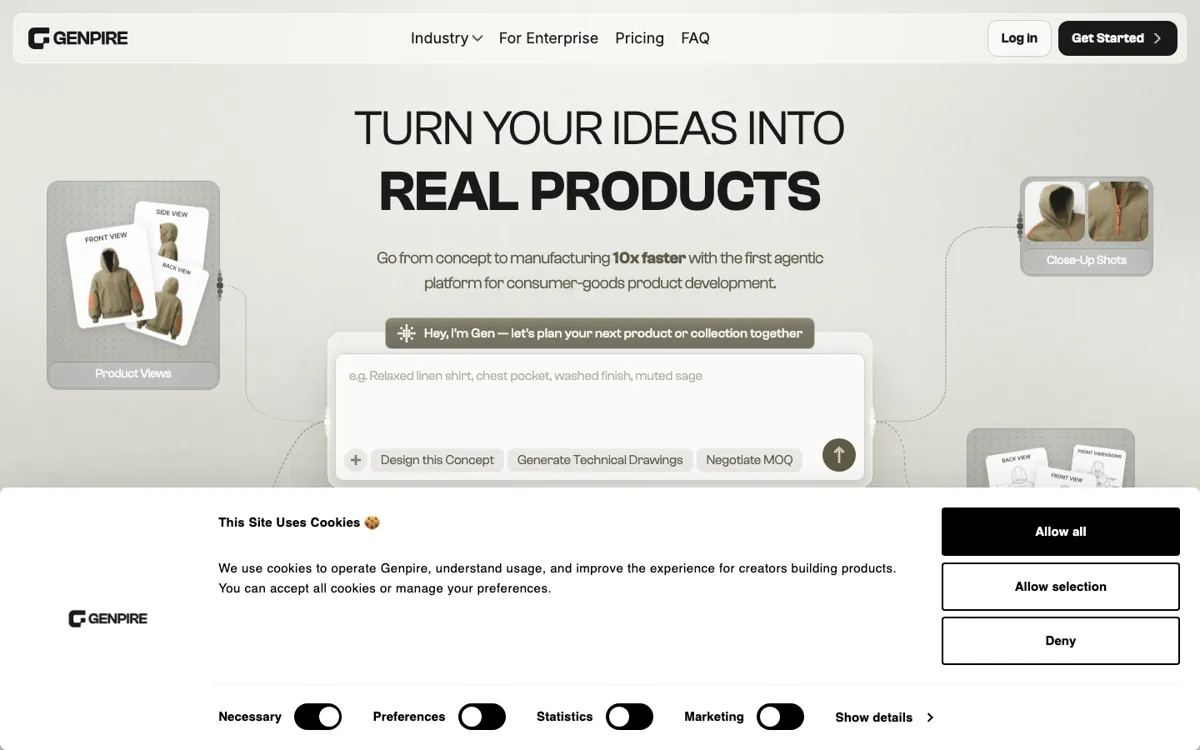
Official Website Snapshot Visit Site ↗

check_circle Pros

  • It attacks a harder problem than most AI design tools by pushing from concept generation into factory-facing documentation.
  • The pricing page is unusually explicit about what credits buy, which makes the product easier to reason about than many AI creation tools.
  • Exports like SVG, PDF, and Excel give the product a clearer supplier handoff story than image-only product generators usually have.

cancel Cons

  • The credit system is still a usage economy, so heavy iteration can become harder to budget than a simpler fixed-seat tool.
  • The strongest value is concentrated in manufacturing and product-launch workflows, which makes the platform feel heavier than necessary for pure inspiration work.
  • A lot of the biggest time-savings claims depend on whether the generated tech pack and construction details are accurate enough for real supplier use, not just visually convincing.

Should you use it?

Best for: Best for turning a sketch, prompt, or rough product idea into tech packs, construction details, and supplier-ready exports without paying an agency to do every first-pass document by hand.

Skip it if: Skip this if you only need image ideation, moodboards, or social mockups and do not care about manufacturing paperwork. Also skip it if your team dislikes credit-based usage models for design work.

Is it worth the price?

Paid Starts at $29.90 USD

Genpire is clearly not a free toy. The entry plan starts at $29.90/month, then climbs with a credit system that ties cost to how much product generation, revision, and production prep you actually do. The upside is that the platform is transparent about what credits buy. The downside is that high-iteration teams can burn through usage faster than they expect if they treat every revision like it is free.

Paid Upgrade
$29.90/month

The paid plans unlock credits for AI-powered product design, visuals, tech packs, revisions, exports, and broader collection and supplier-prep workflows.

One thing to know before you start

Test Genpire on a product concept that already has known manufacturing constraints. That is the fastest way to see whether the tech-pack and revision workflow is reducing production ambiguity or just making concept generation feel smoother.

What people actually use it for

Turn a rough concept into something a factory can quote

Genpire is strongest when the bottleneck is not imagination but translation. You have a sketch, prompt, or rough idea, and need product views, construction details, and a tech pack that a supplier can actually inspect. That matters because many early-stage brands lose weeks handing this step to freelancers or trying to document it manually for the first time.

Build a small collection without stitching together separate tools

The platform is also aimed at collection-level work instead of one-off renders. Pricing and plan details point to collection generation, moodboards, RFQs, and marketing assets in the same environment. That helps when a team wants the concept, product spec, and launch visuals to stay tied together instead of bouncing between separate creative and operations tools.

Prototype without paying agency rates for every first-pass document

The explainer pages keep leaning on a pain point that many small brands know well: traditional tech-pack creation is slow and expensive. Genpire is trying to absorb that first-pass documentation step into software. It becomes more compelling when the company cannot afford to pay an external designer for every iteration, but still needs something more structured than a loose image board.

What does Genpire actually do?

A lot of AI product-creation tools stop at the exact point where the expensive work starts. They can give you a moodboard, a concept image, or a pretty visual direction, but they still leave you staring at the real production problem: how do you turn that idea into something a factory can quote, revise, and build without weeks of back-and-forth? That gap is where many founders and small brands get stuck. They either pay agencies to create first-pass tech packs and specs or try to reverse-engineer manufacturing documents from images that were never made for production use in the first place. Genpire is aimed directly at that broken middle.

The official pages make the scope much clearer than a normal AI image tool pitch. Genpire is not only promising visuals. It is promising product views, revisions, construction details, component details, agentic tech packs, exports, RFQs, moodboards, and launch assets in one place. That matters because the product is trying to keep the creative and operational parts of product design connected. If you start from a prompt or sketch, the workflow does not end at a nice render. It keeps moving toward a file that can be edited, commented on, exported, and used for real supplier conversations. That is the part that gives Genpire its own category edge.

The tradeoff is that a manufacturing-first design workflow is naturally heavier than a pure inspiration tool. Credits map to specific outputs, which is transparent, but it also means the cost of exploration becomes more visible as teams iterate. And the product only earns its keep if the generated documentation survives contact with actual production needs. If the tech pack is too shallow, the construction details too generic, or the export still needs major rework before a supplier can use it, then the fancy workflow saves less time than it appears to. Genpire is strongest when your problem is real production translation, not when your problem stops at visual ideation.

What you can do with it

Turn a prompt, sketch, or blank template into product visuals and a factory-facing tech pack.
Generate construction details, component details, sketches, and revisions instead of stopping at a pretty render.
Export product files as SVG, PDF, and Excel for supplier and production handoff.
Build collections, moodboards, RFQs, and marketing assets from the same product workflow.
Use credits across product creation, tech packs, revisions, visuals, and launch materials from one platform.

Technical details

credit_mapped_outputs
The pricing page ties credits to specific production steps like product creation, construction details, component details, sketches, tech packs, revisions, and marketing assets instead of using a vague all-you-can-create promise.
factory_ready_exports
Official plan details include export to SVG, PDF, and Excel, which shows the product is designed to hand work off to suppliers rather than stop at visual ideation.
production_chain_scope
The captured pages connect prompts, sketches, product views, construction details, component specs, RFQs, and manufacturing prep in one workflow instead of treating them as separate tools.
agentic_tech_pack_workspace
Genpire describes the tech pack as a living workspace that can be generated with AI, refined manually, and used for collaboration with a team or supplier in one file.

Top Alternatives to Genpire

If Genpire is close but still misses the job, try one of these instead.

Key Questions

Is Genpire mainly an image generator or a production tool?
It is trying to be both, but the more distinctive side is the production layer. The official pages keep tying visuals to tech packs, construction details, revisions, exports, and supplier-facing outputs rather than stopping at image creation.
What do credits actually pay for?
The pricing page maps credits to concrete outputs like product creation, construction details, component details, sketches, revisions, tech packs, and marketing assets. So the spend is tied to how much work you run through the production chain, not just to having an account.
Who gets the most value from Genpire?
Teams and founders who need to move from concept to supplier-ready files get the most value. If your biggest problem is manufacturing documentation and first-pass product specs, the platform is much easier to justify than if you only need inspiration images.
What is the biggest reason to skip it?
Skip it if your workflow stops at visual ideation. The product makes the most sense when you need the factory-facing layer, because that is what makes the credit model and heavier workflow worth it.