ECC Review

8.8/10

GitHub App and OSS harness layer that turns repo history into reusable agent skills, rules, and checks.

Review updated May 2026 By The AI Way Editorial Tested 278+ tools across the site 5 min read
ECC AI Agents CLI Tool Open Source Repo Awareness Security Team Collaboration Freemium from $19.00/mo

Our Verdict

ECC is worth it when the real pain is not code generation itself, but the cost of re-teaching every agent session how your repo, rules, and review habits work. Its best move is turning repo history into reviewable defaults and guardrails instead of hiding automation behind opaque setup. The price of that power is setup overhead: this is a repo-standardization layer, not a lightweight assistant you open for an occasional prompt.

Try it
Free to start, then pay when the limits stop you. Starts at $19.00 USD.
open_in_new Try ECC
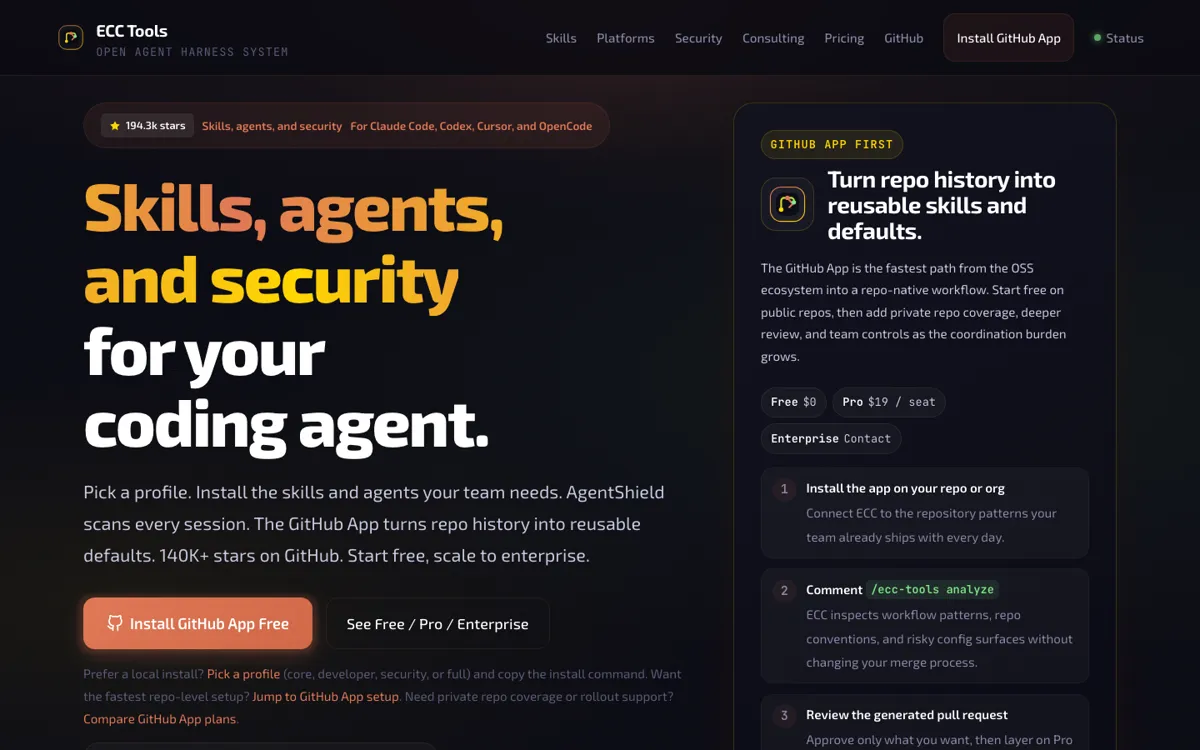
Official Website Snapshot Visit Site ↗

check_circle Pros

  • It gives teams a concrete repo-native loop: install the app, run `/ecc-tools analyze`, and review a pull request instead of trusting silent automation.
  • The free path is real because the OSS layer stays MIT-licensed and the GitHub App free tier covers public-repo evaluation without a credit card.
  • AgentShield adds a clear security story around configs, hooks, and MCP exposure instead of pretending agent setups are safe by default.

cancel Cons

  • The setup asks for more operational discipline than a normal coding assistant, because the value only lands once you care about repo conventions, guardrails, and review flow.
  • Private repos, recurring audits, and deeper automation sit behind the $19 per active seat Pro tier, so the free plan is mostly a public-repo proving ground.
  • The product surface is broad enough that new users can get pulled into profiles, rules, GitHub App rollout, and security scanning before they have proved they need all of it.

Should you use it?

Best for: Best for turning one repo's coding habits into reviewable skills, checks, and guardrails before more developers or agent sessions touch the codebase.

Skip it if: Skip this if your job is mostly solo coding with one editor and you mainly want faster completions or chat help. ECC earns its keep when repo memory, pull request review, and harness policy matter more than raw model access.

Is it worth the price?

Freemium Starts at $19.00 USD

Free is enough when you only want to test the GitHub App on public repos or keep the OSS install local. You pay once the repo is private, the team wants recurring audits, or 10 analyses a month stops covering real use. Enterprise is only for buyers who need procurement, SSO-ready governance, custom rules, or rollout help.

The Free Tier

Free covers public repos only, with 10 analyses per month and 200 commits per run.

Paid Upgrade
$19/seat/month

Pro unlocks private repo analysis, PR-triggered audits, pooled seat usage, deeper AgentShield-backed checks, and auto-triggers on pushes and pull requests.

One thing to know before you start

Test ECC on one real repository first and judge the pull request it generates. If the proposed skills and checks save re-explaining your standards in later sessions, the system is doing its job. If the PR mostly adds ceremony, stop there.

What people actually use it for

Standardize repo guidance before more agents join the codebase

ECC fits best when one repository already has conventions that keep getting re-explained to new sessions, new hires, or new agent tools. The GitHub App path is built for that moment: you install it on the repo, trigger analysis, and inspect a pull request with the suggested skills, defaults, and checks. That is much more useful than a generic code assistant when the real waste is repeated onboarding, inconsistent review expectations, or local-only setup that never becomes team memory.

Carry one harness policy across Claude Code, Codex, Cursor, and OpenCode

Some teams do not have one AI coding surface anymore. One engineer works in Codex, another stays in Cursor, and a third still prefers Claude Code. ECC is built for that mixed environment. The gain is not any single editor feature. It is the ability to keep install policy, commands, and review habits aligned even when the harness underneath changes, so the team does not end up maintaining three separate agent stacks for the same repository standards.

Catch risky config drift before it spreads to the whole team

Agent setups become dangerous when copied configs quietly broaden file access, weaken secret handling, or add unsafe MCP and hook behavior. ECC's security layer makes sense when that risk has become real enough to justify scanning rather than relying on code review alone. AgentShield is useful here because it focuses on config files, hooks, MCP servers, and permission surfaces that normal coding assistants rarely treat as first-class review targets.

What does ECC actually do?

Most AI coding tools sell speed at the moment of generation: fewer keystrokes, faster edits, shorter trips to a browser tab. ECC is aimed at a different failure point. It assumes the expensive part starts after the first useful answer, when the same repository keeps spawning new sessions that do not know your review habits, project rules, risk boundaries, or how previous teams already solved recurring tasks. Its clearest move is a review-first loop: install the GitHub App, analyze a repository, and inspect a pull request containing proposed skills, defaults, and checks built from repo history. That shape matters because it keeps the automation legible instead of burying team standards in private local setup.

The product also makes more sense once you separate its layers. The OSS layer is the distribution and portability surface: local profiles, install builders, modules, commands, and cross-harness packaging for Claude Code, Codex, Cursor, and OpenCode. AgentShield is the protection layer that scans CLAUDE.md, hooks, MCP servers, and related config surfaces for risky defaults before those patterns spread. Then the paid GitHub App layer adds private-repo coverage, recurring review, and operational support on top of that core. In practice, this means ECC is not asking you to replace every coding tool your team already uses. It is trying to sit above them as the part that remembers standards, keeps them portable, and makes policy changes reviewable.

That positioning also explains who should not buy it. If you are a solo developer looking for a stronger autocomplete tool, ECC will feel like adopting operating infrastructure before you have the coordination problem that justifies it. Public repos can start free, but private repos, recurring audits, pooled seat usage, and deeper AgentShield-backed checks all live on paid plans, while enterprise is reserved for governance, procurement, and rollout. The best way to evaluate the product is not to stare at the catalog counts or the star count. It is to run it on one real repo and ask whether the resulting pull request removes future setup repetition, catches risky config habits, and gives the team a standard they would actually keep reviewing.

What you can do with it

Analyze a repository and open a reviewable pull request with proposed skills, defaults, and guardrails.
Install local OSS profiles for Claude Code, Codex, Cursor, and OpenCode from one shared system.
Scan CLAUDE.md, hooks, MCP servers, and agent configs with AgentShield security rules.
Move from free public-repo analysis to private-repo GitHub App automation and active-seat billing.
Use a selective install builder to choose core, developer, security, or full profiles instead of loading the whole stack.
Add enterprise rollout help, policy packs, and audit surfaces when governance becomes the blocker.

Technical details

platform
GitHub App plus local OSS install across Claude Code, Codex, Cursor, and OpenCode
licensing
Core OSS repo is MIT-licensed, while private-repo automation and governance live in the paid GitHub App tiers
deployment
Hosted GitHub App on top of a local OSS install path
api_available
GitHub App, npm packages, and local CLI installs are the exposed automation surfaces; no standalone public API is advertised
security_layer
AgentShield scans agent configs, hooks, MCP surfaces, and rules with 102 published rules; paid layers add automated PR scanning and policy packs
repo_automation
Free allows 10 analyses per month on public repos with 200 commits per run; Pro raises that to 50 analyses per active seat and 1,000 commits per run

Top Alternatives to ECC

If ECC is close but still misses the job, try one of these instead.

Key Questions

What does ECC actually produce after it analyzes a repo?
It produces a pull request with proposed skills, defaults, and checks derived from repo history. The point is to make the automation reviewable before anything becomes team policy.
Can you use ECC without buying the GitHub App?
Yes. The OSS install stays free and can be used locally first. The paid GitHub App layer matters when you want private-repo analysis, recurring automation, or shared rollout controls.
When does the free plan stop being enough?
The free plan stops being enough when the work moves into private repositories or when 10 public-repo analyses per month is no longer enough to evaluate the workflow. That is the point where Pro becomes an operational decision instead of a trial upgrade.
Is ECC a replacement for Cursor, Copilot, or Claude?
No. ECC sits closer to the layer that standardizes skills, rules, repo memory, and security checks across tools. If you only want a better coding assistant inside one surface, one of those tools is the simpler buy.