AI Remove Watermark Review

8.0/10

Upload an image and remove text or logo watermarks before downloading the result.

Review updated August 2026 By The AI Way Editorial 3 min read
Airemove watermark API Available App Integration Web-Based Freemium from USD 24.99/mo

Our Verdict

AI Remove Watermark is easy to justify when the image is yours and you want a faster path to a cleaner file. The workflow is simple, the limits are clear, and the free credits are enough for a test. The weak spot is detail: hard textures, reflections, and faces can still come back looking patched.

Official site
A free plan is listed; verify current limits before upgrading. Starts at USD 24.99.
open_in_new Try AI Remove Watermark
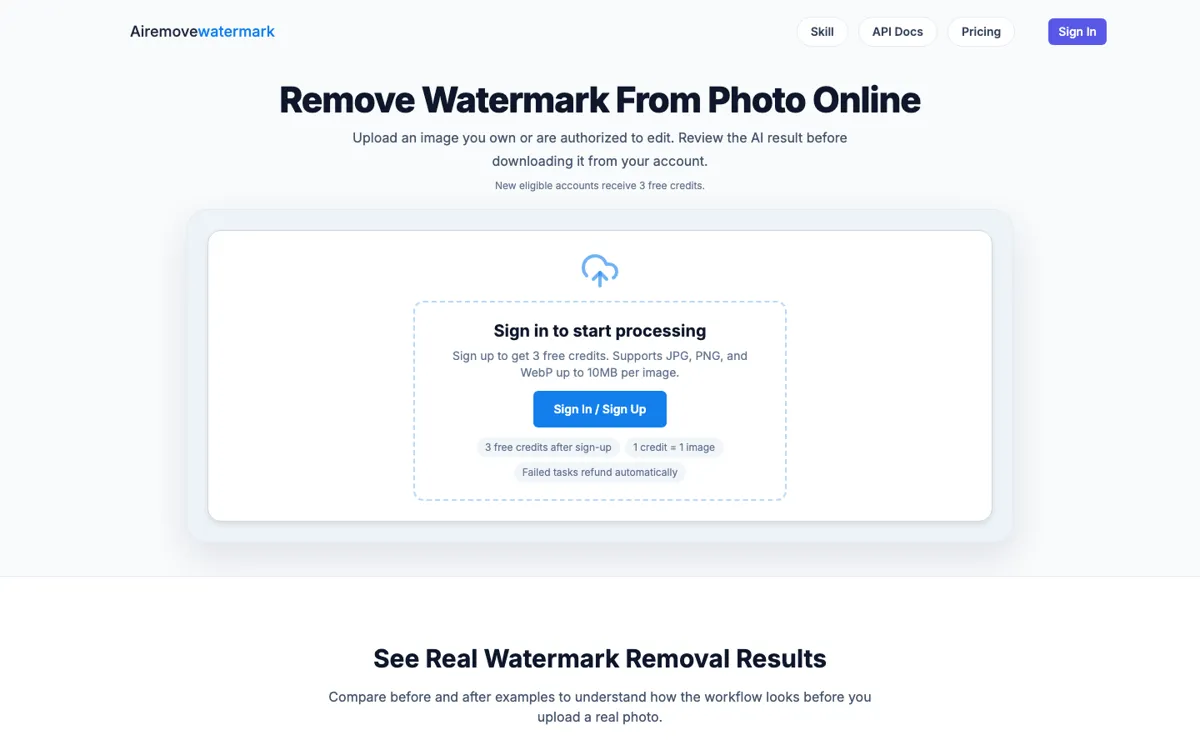
Official Website Snapshot Visit Site ↗

check_circle Pros

  • The product stays focused on one job instead of burying watermark removal inside a bigger editor.
  • The site gives real trial value with 3 free credits for eligible new accounts.
  • File limits, refund behavior, and likely failure zones are explained before upload.

cancel Cons

  • Results still depend on how much clean visual detail surrounds the watermark.
  • Dense patterns, transparent surfaces, and faces are still the easiest places to break.
  • You do not get long-term storage, because processed images stay in the account for only 48 hours.

Should you use it?

photographers, marketers, and sellers cleaning image assets they are allowed to reuse

Skip it if: you cannot confirm edit rights or the watermark sits on faces, hands, reflections, or dense repeating texture

Is it worth the price?

Freemium Starts at USD 24.99

The free layer is enough for a real trial because you get 3 credits before paying when the signup bonus is active. Paid starts at $24.99 for 300 one-time credits, which is an easier buy than a subscription if cleanup is occasional instead of daily.

The Free Tier

Eligible new accounts receive 3 free credits valid for 30 days.

Paid Upgrade
$24.99 for 300 one-time credits

Paid credits let you clean up more images, while subscriptions lower the per-credit cost.

One thing to know before you start

Zoom into edges and textured areas before you keep the file. A result that looks fine at thumbnail size can still fall apart in product, ad, or print use.

What people actually use it for

Clean approved product photos for reuse

Sellers and marketers can strip old logo overlays or timestamps from images they already control before reusing them in a new channel.

Fix owned visuals with light watermark damage

It works best when the mark sits on sky, packaging, background area, or another zone with enough nearby detail to rebuild from.

Automate repeat cleanup jobs with the API

Teams with repeat cleanup work can move from the browser flow to the public API for uploads, task polling, and retries.

What does AI Remove Watermark actually do?

A lot of watermark tools stay vague until after the upload. This one is better about showing its limits up front: supported formats, file cap, active-file cap, free-credit allowance, and the kinds of detail most likely to break reconstruction.

That matters because watermark removal is not a simple yes-or-no job. The model can only rebuild what the surrounding pixels give it. On clean backgrounds, it can save time fast. On faces, fabric, reflections, or repeated textures, you still need to inspect closely before calling the file done.

What you can do with it

Remove text and logo watermarks from uploaded images.
Review before-and-after results before downloading.
Support JPG, PNG, and WebP uploads up to 10MB.
Refund credits automatically when tasks fail.
Offer API endpoints for upload, task status, and retries.

Technical details

api_flow
API supports uploads, task polling, retries, and direct remove calls.
file_limits
Supports JPG, PNG, and WebP up to 10MB and 4096px.
queue_limit
Accounts can keep up to 10 active files at once.
credit_meter
One credit is used when a task is created successfully.
availability_window
Processed images stay available for 48 hours in the account.

Top Alternatives to AI Remove Watermark

If AI Remove Watermark is close but still misses the job, try one of these instead.

Key Questions

Do new users get free credits?
Yes. The homepage and pricing page say eligible new accounts receive 3 free credits, valid for 30 days after signup.
Which file types does AI Remove Watermark support?
JPG, PNG, and WebP. Uploads can be up to 10MB per image and 4096px.
When is a credit consumed?
One credit is used when a watermark task is created successfully. If the task later fails on their side, that credit is refunded automatically.
Will it remove every watermark perfectly?
No. Results depend on source quality, watermark placement, and the surrounding visual detail.