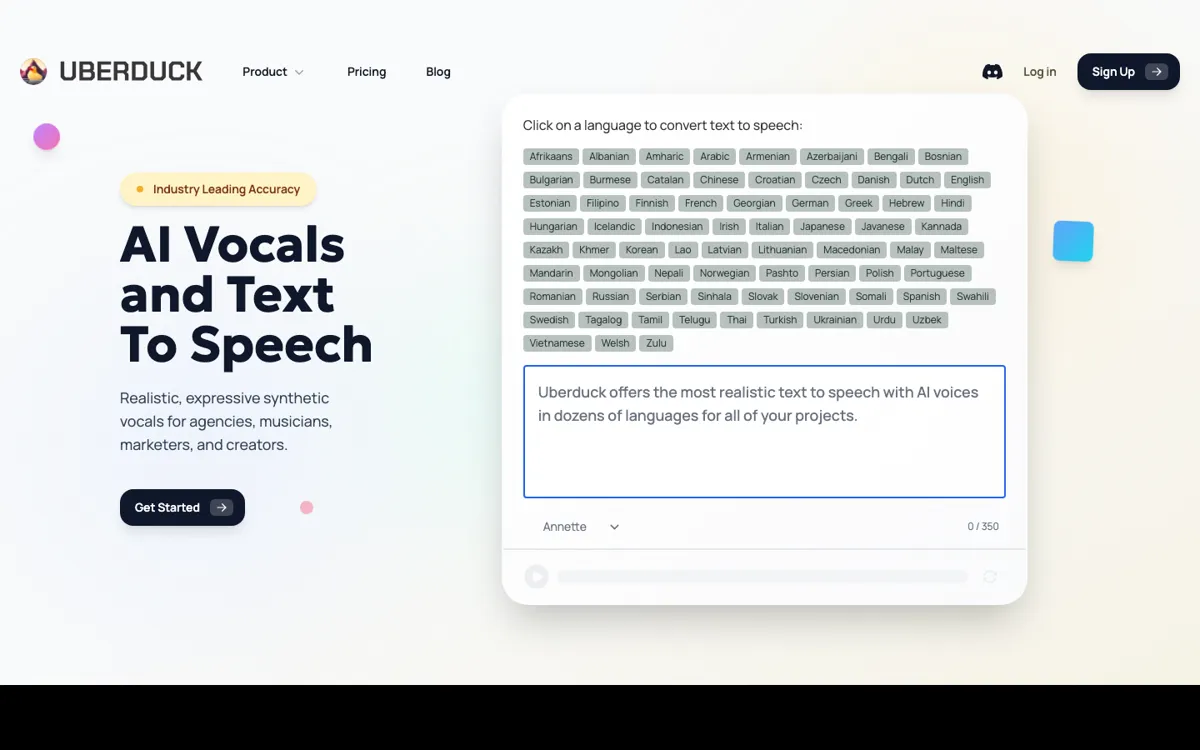
Uberduck Review

7.9/10

Generate AI vocals, text to speech, voice cloning, and synthetic media with creator and developer tools.

Review updated May 2026 By The AI Way Editorial Tested 99+ tools across the site 5 min read
Uberduck API Available Commercial Rights Multi-language Music Generation Voice Cloning Web-Based Freemium from $2.00/mo

Our Verdict

Uberduck is worth opening when your goal is to make voice output, songs, or cloned-vocal media rather than just generate plain narration. Its biggest strength is range: text to speech, vocals, rapping, music generation, cloning, and API access all sit under one roof, so creators and developers can test very different synthetic-audio workflows without hopping across separate tools immediately. But that range is also the risk, because users who only need a dead-simple voiceover tool may end up paying attention to a much bigger product than their workflow really requires.

Try it
Free to start, then pay when the limits stop you. Starts at $2.00 USD.
open_in_new Try Uberduck
Official Website Snapshot Visit Site ↗

check_circle Pros

  • The product goes beyond basic text to speech by covering singing, rapping, voice cloning, music generation, and API access in one system.
  • Paid-plan messaging is clear about commercial use, which matters for creators who need to know whether generated output can actually ship inside paid work.
  • The homepage explicitly supports 70+ languages and hundreds of musical styles for music generation, which makes it more flexible than a narrow English-only creator voice tool.

cancel Cons

  • The product surface is broad enough that first-time users may need to sort through several media workflows before they know which plan or feature set actually fits them.
  • The cheapest paid tier is framed for quick tasks beyond the free plan, which suggests heavier creator or commercial use will push users upward fairly quickly.
  • If you only need straightforward speech output, parts of the music and synthetic media stack can feel like extra complexity rather than value.

Should you use it?

Best for: Best for creators and developers who want one tool for AI vocals, cloned voices, music-style output, and API-based synthetic speech workflows.

Skip it if: Skip this if you only need a plain narration tool with minimal setup, because Uberduck is built more like a synthetic media platform than a single-purpose voiceover app.

Is it worth the price?

Freemium Starts at $2.00 USD

The free plan is enough to see whether the voice and media outputs match your use case. Paid plans start to matter when commercial rights, broader generation tools, or more serious creator workflows become the actual goal instead of casual experimentation.

The Free Tier

Homepage says get started for free, but the captured pricing text does not clearly expose the free tier limits.

Paid Upgrade
$2/month

Starter moves beyond the free tier, while paid plans also unlock commercial use and premium generation features.

One thing to know before you start

Start by choosing one output type, such as voiceover, song generation, or API testing, before exploring the rest of the product. Uberduck gets easier to judge when you test it against one concrete workflow instead of its whole media surface at once.

What people actually use it for

Creating voice-driven content that goes beyond standard voiceovers

Uberduck is a better fit than a plain speech generator when the output might include singing, rapping, or cloned-vocal content rather than just spoken narration. That matters for creators making social clips, experimental audio, or music-adjacent content where the voice itself is part of the performance. The product is less compelling if all you need is fast spoken text output with minimal choices, because the added surface can slow down a simple job.

Testing synthetic speech and vocal generation inside an app workflow

The API access matters when a developer wants to plug generated voice into a product flow instead of only using a browser tool. That makes Uberduck more useful than a creator-only interface if the end goal is automation, experimentation, or a feature inside another app. The tradeoff is that the broader product messaging is creator-heavy, so developers should confirm the API path they need before treating the rest of the media stack as relevant.

Using one platform for both casual experiments and paid creator output

Uberduck’s pricing and plan structure make sense when someone wants to start cheap, see how the outputs feel, then move toward commercial use if the content becomes serious. That is better than a tool that hides usage rights until late in the process. The limitation is that a user with only one narrow job, like simple corporate narration, may still be better served by a smaller product focused only on voiceovers.

What does Uberduck actually do?

Uberduck is trying to solve a different problem from the usual text-to-speech websites. Most basic voice tools stop at turning text into spoken audio. Uberduck instead positions itself as a broader synthetic media platform, with AI vocals, text to speech, voice conversion, voice cloning, music generation, and API access all shown on the main site. That matters because the user is not always coming in for the same job. One person may want a voiceover, another may want sung vocals or rapping from text, and another may want to test synthetic speech inside an app. The product is built around that spread of use cases rather than a single narration lane.

The strongest part of the product is that its surface area supports both creators and developers. The homepage explicitly calls out text to speech, cloned voices, music generation, commercial use on paid plans, and support for more than 70 languages plus hundreds of musical styles. The pricing page also makes the permission structure easier to read than many creator tools do, because it tells users that paid plans are the path to commercial use and additional generation features. That keeps a common surprise from showing up late, where a user discovers the content they made cheaply cannot actually be used in paid work without upgrading.

The downside is that breadth can blur fit. Uberduck is not the cleanest choice for someone who only needs one steady business voice and nothing else, because the surrounding music, cloned-voice, and synthetic media stack adds choices that may not help that user. It is strongest when the workflow genuinely benefits from multiple audio modes or when API access matters alongside creative generation. If your actual task is only straightforward narration, the richer surface can become extra product to navigate rather than extra value to keep.

What you can do with it

Generate text to speech, singing, and rapping from text.
Create AI music with lyrics in seconds across many styles and languages.
Clone voices and build synthetic vocal content for creator workflows.
Use API access for developer-driven voice and media generation workflows.
Unlock commercial use and broader media generation features on paid plans.

Technical details

platform
Web app
deployment
Cloud
api_available
Yes

Top Alternatives to Uberduck

If Uberduck is close but still misses the job, try one of these instead.

Key Questions

Is Uberduck just a text-to-speech app?
No. Text to speech is one part of it, but the product also highlights AI vocals, voice cloning, voice conversion, music generation, and API access.
Can you use Uberduck output commercially?
Yes, but that right is tied to paid plans. The homepage and pricing language both make commercial use part of the paid path rather than the free tier.
Who gets the most value from Uberduck?
Creators and developers who want more than basic narration get the most value. The platform makes the most sense when cloned voices, music-style output, or API workflows matter alongside speech generation.
Who should probably skip Uberduck?
People who only need the simplest possible voiceover workflow should think twice. Uberduck is broader than that, and the extra media surface may be more than they need.