Slideshot Review

8.3/10

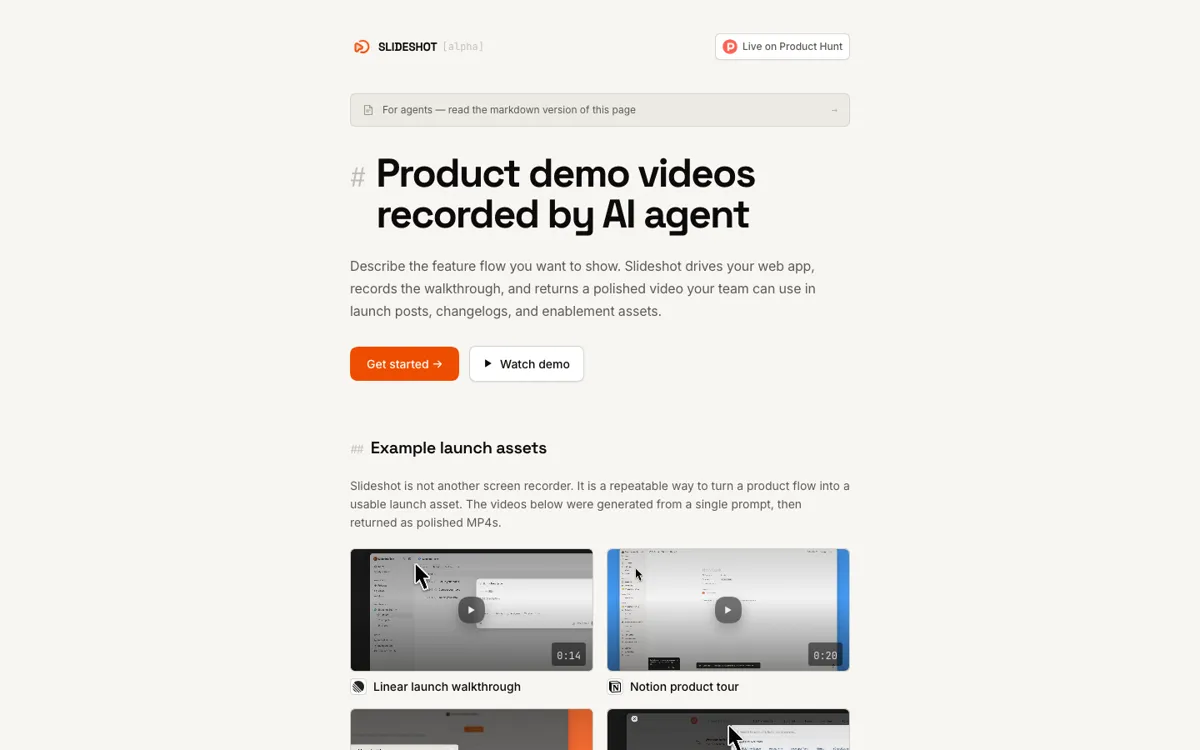
Product demo videos recorded by AI agent

Review updated May 2026 By The AI Way Editorial Tested 262+ tools across the site 4 min read
Slideshot API Available Production Workflows Video Editing Web-Based Workflow Builder Paid from $0.90/mo

Our Verdict

Slideshot is worth opening when your bottleneck is not making a product change, but turning that change into a clean demo every single time the UI shifts. Its real value is that it lets the same agent workflow that ships the feature also generate the launch asset. The downside is that it is still constrained to websites and web apps, so anything involving extensions, native apps, or complex desktop behavior is outside the useful zone for now.

Try it
Paid product. Starts at $0.90 USD.
open_in_new Visit Slideshot
Official Website Snapshot Visit Site ↗

check_circle Pros

  • It removes the most repetitive part of demo creation by automating capture, zoom effects, cursor motion, and export in one pass.
  • The product is built for agent workflows instead of forcing you back into a human-driven recorder, which makes it more useful for teams already using MCP, CLI, or API automation.
  • Usage pricing fits bursty launch work better than another monthly seat if you only need demo assets when features ship.

cancel Cons

  • It only works for websites and web apps right now, so extension demos and native product walkthroughs are still out of scope.
  • Because the value depends on autonomous browser driving, odd states like popups, long loading screens, or fragile auth flows can still become recording edge cases.
  • Per-request pricing is clean, but teams generating lots of variants can end up spending more than they expect compared with a flat recorder they already own.

Should you use it?

Best for: Product marketing, growth, support, and product teams that need fresh walkthrough videos or GIFs for web apps without re-recording the same flow by hand after every release.

Skip it if: Skip it if your demos mostly involve desktop software, browser extensions, or highly customized manual storytelling where a human editor needs to control every pace change and framing choice from the start.

Is it worth the price?

Paid Starts at $0.90 USD

The $0.90 starting price is easy to swallow for occasional launches, but this is not really a cheap recorder story. It is a pay-per-output production layer, so the question is whether automated refreshes save enough team time to justify every generated run.

Paid Upgrade
$0.90 per recording request

You pay only when a run generates a recording, without monthly subscription or per-seat pricing.

One thing to know before you start

Use Slideshot on a flow that changes often, not on your one polished flagship video. The fastest way to prove value is to automate the demo asset you keep avoiding because it gets stale every release.

What people actually use it for

Keep changelog and launch videos current as the UI changes

Slideshot fits the moment when a product team ships quickly enough that its existing demo library starts lying. A PMM or founder can describe the new flow, trigger a run, and get back a fresh asset without re-recording every click. That makes it useful for releases where the cost is not one video, but the repeated effort of updating the same walkthrough over and over.

Generate help center and support walkthroughs for authenticated web flows

The tool is useful when support or education teams need to show real in-product behavior instead of a public landing page. Saved credentials and web-app login support make it practical to capture flows behind auth, which is where many ordinary screen recorders stop being convenient. The limitation is that this only helps if the workflow lives inside a browser.

Add demo generation to an existing agent or CI workflow

Slideshot becomes more interesting if you already rely on MCP tools, terminal agents, or API jobs. The MCP server, CLI, and HTTP API all sit on the same run system, so a team can treat demo generation like another artifact in the release pipeline instead of a separate creative chore.

What does Slideshot actually do?

Most demo tools assume a human is still the camera operator. You open the product, click through the flow, try not to mess up the pacing, then clean everything up in post. Slideshot changes the labor split. You describe the flow in plain language, point it at the target app, and let an agent drive the browser while the service handles the polished render. That is why it feels closer to launch automation than to a nicer screen recorder, especially when the same flow has to be recreated again after the next UI tweak ships.

The strongest part of the product is how tightly it matches web product teams that already work with agents. Everything about the product points in the same direction: web app only, agent first, async runs, and artifact outputs that can slot into launch posts, changelogs, help content, or customer education. Support for MCP, CLI, and direct API matters because it gives the product more staying power than a one-off UI toy. You can treat demo generation as part of a repeatable pipeline rather than as a manual side quest after shipping.

The boundary is also very clear. Slideshot is only compelling if your product lives in a browser and your team values speed over handcrafted demo control. Extensions and native apps are not supported yet, and the product still leans on timing cleanup, loading-screen trimming, and raw fallback recordings to smooth rough edges. That means the product is honest about where automation works today, but it also means you should not expect it to replace a full creative video workflow when the story needs tight human direction.

What you can do with it

Takes a target web app URL and a natural-language goal, then drives the product flow automatically.
Returns polished demo artifacts like MP4 videos and optional GIFs without a manual edit pass.
Works through MCP, CLI, or direct HTTP API for agent-driven and scripted workflows.
Supports saved credentials for authenticated product areas and can blur emails during capture.
Offers visual controls like intro templates, background framing, cursor styling, shortcut overlays, and output sizing.

Technical details

platform
Web product with three entry points: MCP for AI agents, a CLI for scripts and CI, and a direct HTTP API.
deployment
Cloud-hosted asynchronous recording service that drives browser sessions remotely and returns public artifacts such as raw.mp4, demo.mp4, and plan.json.
api_available
Yes. Slideshot exposes /v1/agent endpoints for runs, credentials, artifacts, feedback, and brand extraction, and the CLI plus MCP layer sit on top of that same run system.

Top Alternatives to Slideshot

If Slideshot is close but still misses the job, try one of these instead.

Key Questions

Does Slideshot replace Loom or Screen Studio?
Not completely. It replaces them best when the job is repeatable web app demos that you would otherwise keep re-recording. If you want a hand-crafted recording where a person controls every beat, a traditional recorder still makes more sense.
Can Slideshot handle login-protected product areas?
Yes, for web apps. It supports saved credentials, including email and email-plus-password flows. That makes it much more useful for real product walkthroughs than tools that only capture public pages.
What is the biggest limitation right now?
It is browser-bound. Slideshot only supports websites and web apps for now, so native desktop products and browser extensions are outside the supported range.