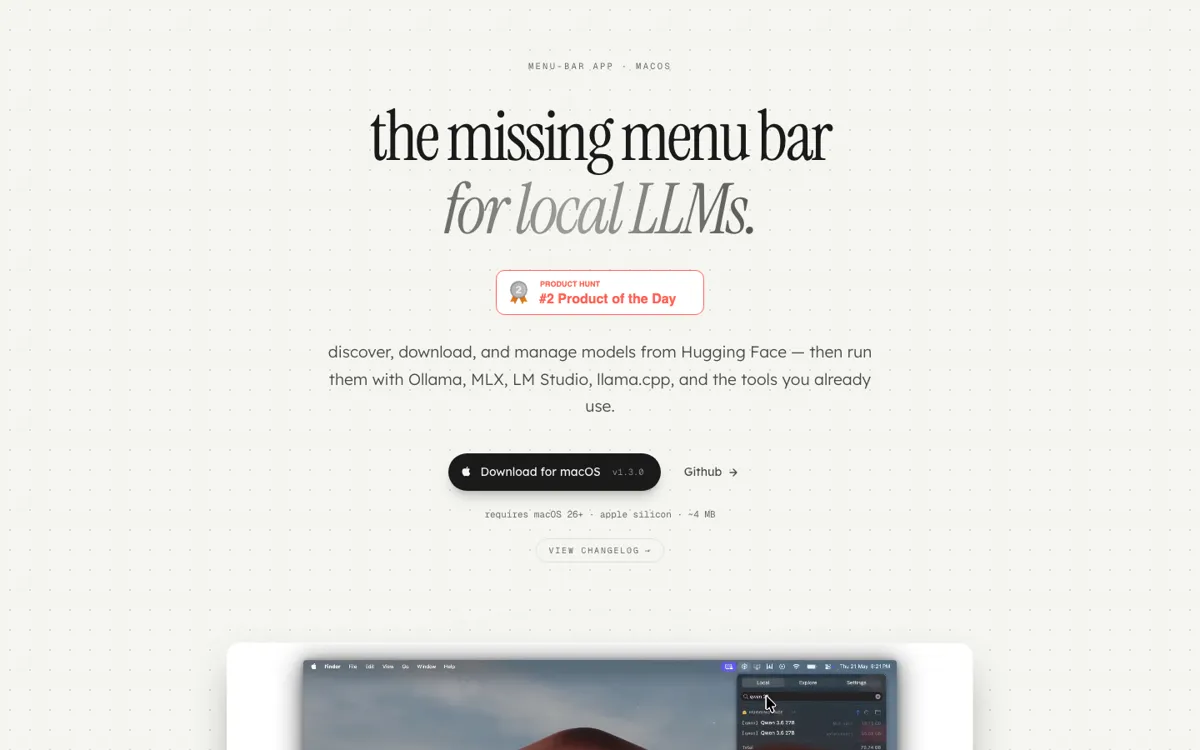
ModelHub Review

7.9/10

A macOS menu bar app that helps you find, download, and manage local LLMs without bouncing between folders, terminals, and model sites.

Review updated May 2026 By The AI Way Editorial Tested 262+ tools across the site 5 min read
Conscious Engines Mac App Open Source Privacy Focused Freemium

Our Verdict

ModelHub is a sharp utility for one narrow but real pain: local LLMs on Mac turn messy fast once you mix Hugging Face, LM Studio, Ollama, and random folders. The win is that it gives you one control point in the menu bar without locking your files into a private format. The limit is just as clear, if you do not already run local models, this app has almost nothing to say to you.

Try it
Free to start, then pay when the limits stop you.
open_in_new Try ModelHub
Official Website Snapshot Visit Site ↗

check_circle Pros

  • Turns scattered local model files into one browsable menu bar view instead of making you check multiple folders and apps.
  • Keeps Hugging Face cache compatibility, which is a much stronger promise than a convenience wrapper that hides files in its own format.
  • Connects discovery and download to the runtimes Mac local-LLM users already touch, including Ollama, MLX, LM Studio, and llama.cpp.
  • The official site and release page already show a concrete install path, changelog, and downloadable DMG instead of a vague waitlist pitch.

cancel Cons

  • Mac-only instantly cuts out anyone running local models on Windows or Linux.
  • If your model workflow already lives happily in terminal commands, this may feel like a nice wrapper rather than a must-have tool.
  • The product solves file and download friction, not deeper tasks like prompt management, benchmarking, or orchestration.
  • No clear pricing page is shown on the fetched official pages, so cost expectations are still implicit rather than stated.

Should you use it?

Best for: Keeping a Mac local-model library under control when you regularly browse Hugging Face, download models, and hand those files off to Ollama, MLX, LM Studio, transformers, or llama.cpp.

Skip it if: Skip it if you do not run local models on a Mac, or if your real problem is model evaluation, prompting, or agent building rather than file and download management.

Is it worth the price?

Freemium

The fetched official pages do not show a public pricing table, so you cannot make a clean free-vs-paid decision yet. Treat it like a downloadable Mac utility for now, and wait for the site to state a real pricing model before you assume what happens after install.

One thing to know before you start

Check whether the Hugging Face cache compatibility promise matters more to you than the menu bar itself. That detail is what makes ModelHub safer to adopt than a wrapper that traps your downloads in a custom storage layout.

What people actually use it for

Keep one view over models scattered across your Mac

ModelHub is easiest to justify when your local models are already spread across LM Studio folders, the Hugging Face cache, and a few random download locations. In that situation, the value is not abstract convenience. It is that you open one menu and immediately see what you have, what is taking space, and which file you want to reveal, sort, copy, or remove next. That saves repeated low-value rummaging, especially when disk cleanup and duplicate downloads are starting to waste more time than the actual model work.

Download Hugging Face models without breaking the rest of your stack

A lot of helper apps look nice until they impose their own storage format and make the rest of your local setup harder to trust. ModelHub’s more important promise is that downloads keep the official Hugging Face cache layout intact. That means you can fetch a model through the app, then keep using it with Ollama, MLX, transformers, or llama.cpp without treating ModelHub as the permanent owner of the file. If you uninstall it later, the files still belong to the rest of your stack instead of dying with the wrapper.

Filter for models that fit your Mac before you waste time downloading

The app becomes more useful when your machine is the limiting factor. The release notes call out a Runs on this Mac style filter for Apple Silicon runnable formats and memory fit checks. That is the kind of small guardrail that matters in practice, because it cuts down the stupid cycle of downloading a model, realizing it is a bad fit, then cleaning up disk space after the fact. On a smaller Mac, that check can save you from burning bandwidth and storage on models you were never going to run successfully.

What does ModelHub actually do?

ModelHub only makes sense if you start with a real local-LLM headache. On Mac, the mess usually appears gradually. One model sits in LM Studio, another lives in the Hugging Face cache, another came from a manual download, and before long you cannot remember which folder holds what or which copy is safe to delete. ModelHub steps into that exact gap. It does not promise to invent a new AI workflow. It promises to cut down the annoying storage, browsing, and download friction around models you already run. That narrower promise is a strength, because the official page shows a concrete before-and-after instead of vague talk about AI productivity.

The best technical detail on the page is the cache compatibility claim. ModelHub says every download replicates the official Hugging Face cache layout, including blobs, snapshots, and refs, and that a model fetched through the app is byte-identical to one fetched with huggingface-cli. That matters more than the menu bar itself. A lot of utility apps are easy to install but hard to trust once they start acting like a storage owner. ModelHub is trying to win the opposite way. Use the app if it helps, uninstall it if you want, and keep your models where the rest of your stack can still read them.

The tradeoff is that this is a utility for a very specific kind of user. If you are not already living in the world of Ollama, MLX, LM Studio, llama.cpp, and local Hugging Face downloads, the app will sound narrower than the Product Hunt votes suggest. Even for the right audience, it is not the center of the workflow. It does not replace your runtime, your prompting surface, or your evaluation process. It cleans up one irritating layer between discovering a model and putting it to work. That is enough to be valuable, but only if that layer is already wasting your time.

What you can do with it

Shows local models from places like LM Studio and the Hugging Face cache in one menu bar list.
Lets you browse and search Hugging Face models, then download them without leaving the app.
Supports pause and resume during downloads from the menu bar.
Keeps downloaded files in the standard Hugging Face cache layout so other tools can use them directly.
Helps you sort, filter, reveal, copy, or trash local model files from one place.
Includes a toggle to surface models that fit your Mac and Apple Silicon runnable formats.

Technical details

platform
Native macOS menu bar app with explicit requirements for Apple Silicon and macOS 26+ on the official site.
implementation
The public GitHub repo is open and primarily Swift, with release DMGs published from GitHub.
runtime_targets
The site explicitly calls out Ollama, MLX, LM Studio, transformers, and llama.cpp as downstream runtimes or toolchains it plays well with.
cache_compatibility
Downloads preserve the official Hugging Face cache layout, including blobs, snapshots, and refs, so the same files stay usable in other local model tools.

Top Alternatives to ModelHub

If ModelHub is close but still misses the job, try one of these instead.

Key Questions

Does ModelHub replace Ollama or LM Studio?
No. It sits closer to discovery, download, and file management. The official site positions it as a model layer that works with tools like Ollama, MLX, LM Studio, transformers, and llama.cpp rather than replacing them.
Why does the Hugging Face cache compatibility promise matter?
Because it means the app does not trap your downloads in a private format. You can fetch through ModelHub, then keep using the same files in the rest of your local stack without treating the app as the permanent owner.