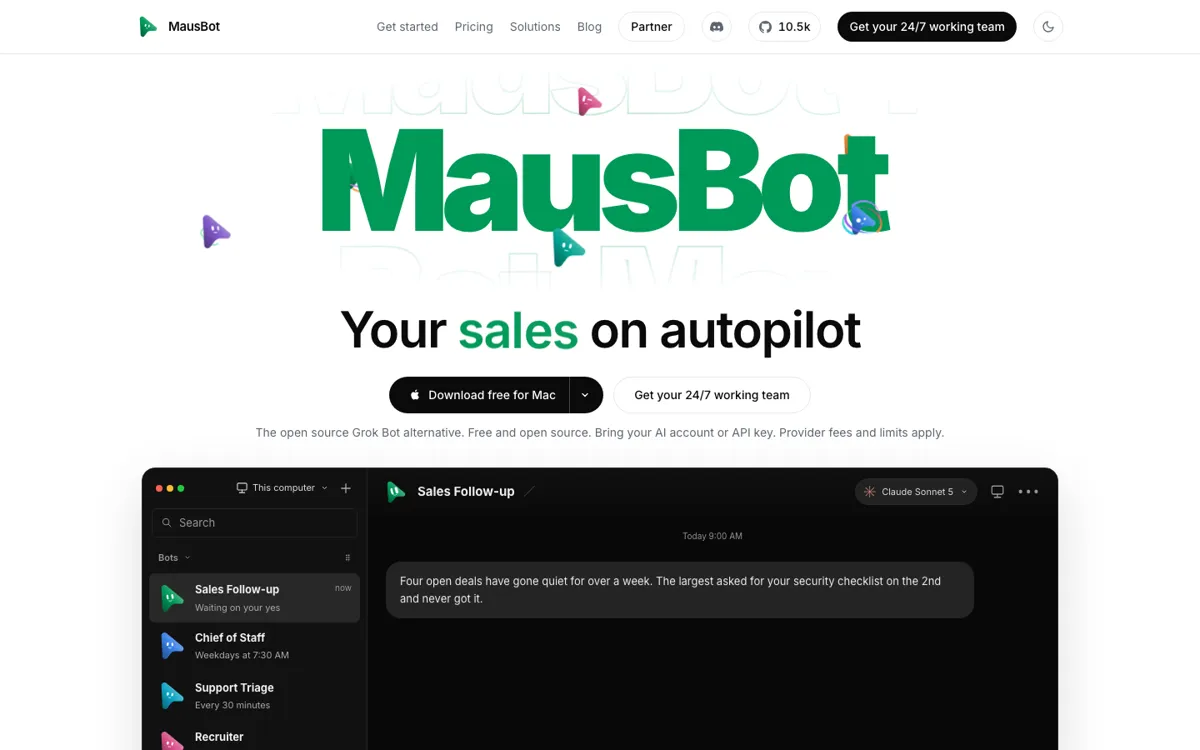
MausBot Review

★7.7/10

Give a bot a task and let it act through connected apps or a computer.

Review updated November 2026 • By The AI Way Editorial • 3 min read
AI Agents App Integration BYO Key Open Source Freemium from USD 15.00/mo

Our Verdict

Pick MausBot if you want several named bots handling distinct tasks on your computer. Setting it up still means connecting an AI engine and deciding which actions need your approval.

Official site
A free plan is listed; verify current limits before upgrading. Starts at USD 15.00.
open_in_new Try MausBot
Official Website Snapshot Visit Site ↗

check_circle Pros

  • ✓Run separate bots with Claude and Codex side by side

cancel Cons

  • ✕Windows installer signing is pending; SmartScreen may warn about an unknown publisher
  • ✕Phone companions require a running computer or server

Should you use it?

Delegating recurring app and computer tasks to named AI bots

Is it worth the price?

Freemium Starts at USD 15.00

Budget for your AI provider even if you never buy Cloud. Hosting is the upgrade to consider when bots must work after you close your laptop.

The Free Tier

Free bots work only while your computer is on

Paid Upgrade
$15/month (Starter)

Always-on cloud bots and 100 computer-hours a month

What does MausBot actually do?

Install the desktop app, connect a supported AI account or API key, then create a bot with a name and an engine. You can ask it to draft an email, work through a to-do list, or use a computer with a screen you can inspect. On the desktop, each bot appears as a separate chat you can return to.

What you can do with it

Pin, duplicate, or hide a bot chat
Approve a bot action before it proceeds
Schedule an automation from a sentence

Technical details

license
Apache 2.0
desktop_platforms
macOS on Apple silicon or Intel, Windows x64, Ubuntu x86-64
automation_triggers
Schedule, webhook, or connected app event