Logomakerr Review

7.4/10

Create and customize AI-generated logos before paying to download the final package.

Review updated May 2026 By The AI Way Editorial 5 min read
Logomakerr Logo Design Web-Based Freemium from USD 29.00/mo

Our Verdict

Logomakerr is best treated as a fast first-pass branding tool, not as a substitute for deep logo exploration. Its strongest point is that you can generate and tweak a lot of directions before paying, then buy a one-time package instead of getting trapped in another design subscription. But if your brand needs something highly distinctive or strategically tight, the public feedback and the site itself both suggest you may still end up using the result as a draft rather than as the final identity.

Official site
A free plan is listed; verify current limits before upgrading. Starts at USD 29.00.
open_in_new Try Logomakerr
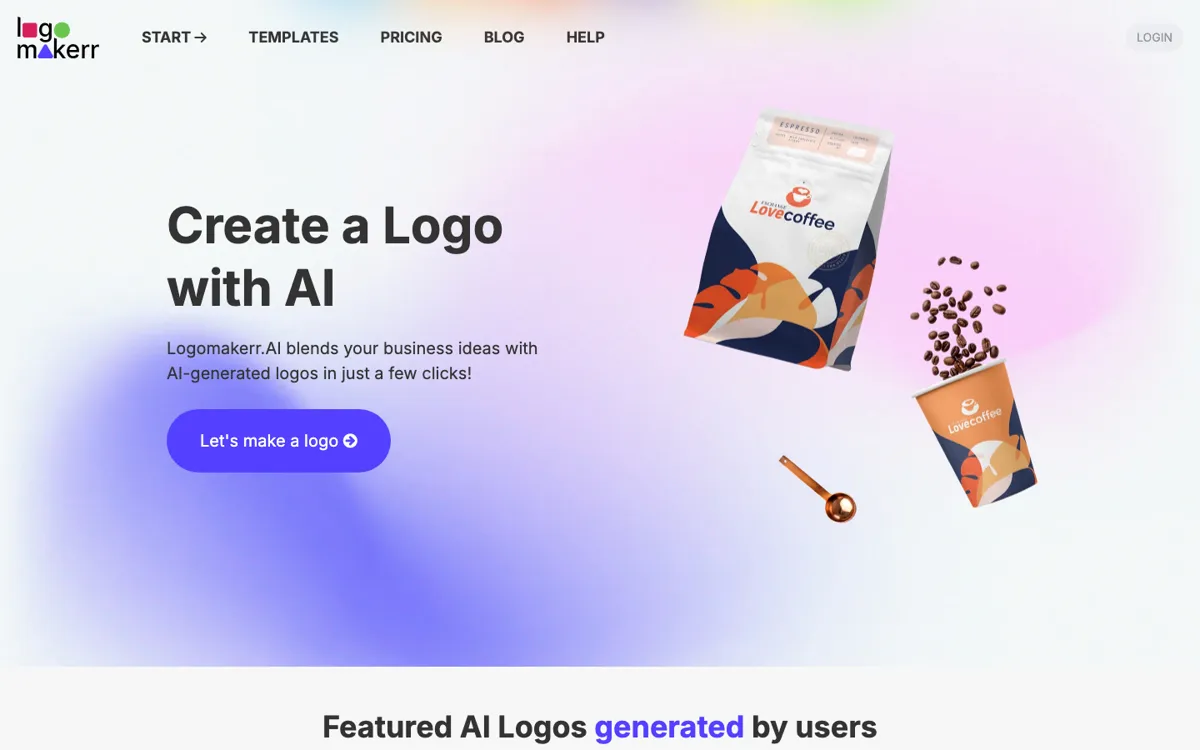
Official Website Snapshot Visit Site ↗

check_circle Pros

  • You can generate and revise many logo directions before paying, which lowers the risk of buying a concept too early.
  • The paid download includes broader brand assets like business cards, letterheads, and social templates instead of stopping at a single logo file.
  • There is a clear rescue path when the AI gets close but misses, because the checkout offers a paid designer-fix option.

cancel Cons

  • Public feedback on TAAFT points to the output being more useful as a starting point than as a polished final logo.
  • The refund policy says downloaded files are not refundable, so the purchase becomes hard to undo once you pull the assets.
  • The homepage promises customization and volume, but it gives less evidence about how well the tool avoids generic logo patterns across crowded categories.

Should you use it?

founders and small teams that need a workable logo package this week, not a long brand process

Skip it if: brand distinctiveness matters more than speed or you expect a risk-free purchase after download

Is it worth the price?

Freemium Starts at USD 29.00

The useful part is being able to explore before paying. The commitment starts when you need the files, and that purchase is harder to undo after download.

The Free Tier

Free generation before paid download

Paid Upgrade
$29 one-time

Unlock downloads and brand assets

One thing to know before you start

Use it when you already know your business name, rough category, and visual tone. The faster you can reject weak directions and keep refining one branch, the more value you get from the free generation stage before paying for files.

What people actually use it for

Make a launch-ready logo for an MVP

If a founder needs a brand mark before a demo day, landing page launch, or first cold outreach run, Logomakerr can turn a business name and a few preferences into usable directions fast. The real time saver is not artistic originality, it is skipping the blank-canvas phase and getting to downloadable files plus starter brand assets in one path. This works well when the goal is to look credible enough to ship, but it is less convincing if the product already needs a brand identity that can hold up under close scrutiny from customers or investors.

Create a starter kit for a small business

A local service business or solo operator can use Logomakerr to go beyond one logo and assemble matching materials for cards, flyers, and social posts. That matters when the business is trying to look coherent across a few channels without paying an agency. The AI step gets you into the neighborhood quickly, and the built-in customization helps you avoid accepting the first random option. Still, the value depends on whether a practical, decent-looking system is enough, because the strongest public praise is about usefulness, not about standout creative quality.

Generate options before handing off to a designer

Sometimes the fastest use of an AI logo maker is not to finish the job, but to narrow the brief. A team can run through colors, symbols, and layout directions in Logomakerr, spot what feels wrong, then hand a stronger direction to a human designer or use the paid designer-fix option inside the product. That can trim days off early exploration. It is less useful if the team expects the AI output alone to settle every branding question without further judgment.

What does Logomakerr actually do?

The hardest part of early logo work is often not making the final file, it is getting out of the fog. A founder has a product name, a rough category, and maybe a few colors in mind, but every next step still means either opening a blank design tool or paying someone before knowing what direction feels right. Logomakerr is built for that exact moment. The site pushes a very simple promise: start with your business idea, let the AI generate directions, then keep moving pieces around until one version feels close enough to your brand to keep exploring.

What makes the product more than a novelty is the path after generation. The how-it-works and pricing pages say you can browse many options for free, then pay once to unlock the final package when you are satisfied. That package can include standard image files, higher-tier vector formats, and broader brand assets like business cards, letterheads, presentation slides, and social templates. There is also a designer-fix add-on for manual refinement. So the product is not just selling pretty previews, it is selling a shortcut from idea to downloadable starter identity materials.

The limit is that speed and volume do not automatically produce a memorable mark. TAAFT feedback describes the output as decent for ideas, which is useful, but not the same as saying the logos are strong enough to stand on their own in crowded markets. The refund policy is also strict after download, which raises the cost of buying too soon. If you need something quick, editable, and affordable, Logomakerr fits. If you need brand distinctiveness to carry real strategic weight, this is better used as exploration or prep work than as the unquestioned final answer.

What you can do with it

Generate logo options from your business idea and design preferences.
Edit fonts, colors, symbols, and layouts before downloading a final version.
Preview logo concepts through mockups and ready-made template examples.
Download logo packages in JPG, PNG, PDF, and higher plans with vector formats such as SVG and EPS.
Extend one logo into a brand kit with business cards, letterheads, slides, and social media templates.

Technical details

brand_assets
Business cards, letterheads, slides, social templates
designer_fix
Manual refinement add-on with up to three revisions
download_formats
JPG, PNG, PDF, SVG, and EPS by plan

Top Alternatives to Logomakerr

If Logomakerr is close but still misses the job, try one of these instead.

Key Questions

Can I actually use Logomakerr without paying first?
Yes, for the generation stage. The official pricing page says you can design and generate logos for free, but you need to pay once you want to download the logo package.
What do I get beyond a single logo file?
Depending on the package, you get more than a flat image. The site mentions vector formats on higher plans plus brand assets like business cards, letterheads, presentation templates, and social media materials.
Is there any help if the AI result is close but not right?
Yes. The pricing FAQ mentions a Designer Fix add-on for manual adjustments with up to three revisions, which is useful when the generated direction is almost usable but still needs cleanup.
Can I get a refund after downloading the files?
Usually no. The refund policy says that once the logo has been purchased and the files have been downloaded and accessed, the purchase is no longer eligible for refund, although a one-time replacement request is available within 30 days.