Fotor Video Agent Review

7.9/10

Upload clips, scripts, or docs and get an editable AI-built video draft.

Review updated September 2026 By The AI Way Editorial 3 min read
Fotor Production Workflows Text-to-Video Video Editing Web-Based Freemium

Our Verdict

Use Fotor Video Agent when you want AI to build the first cut but still keep your hands on the details. Fixing text, charts, timing, or one weak segment is the whole point. Look elsewhere if 4K is non-negotiable, because this still tops out at 1080p and feels beta.

Official site
A free plan is listed; verify current limits before upgrading.
open_in_new Try Fotor Video Agent
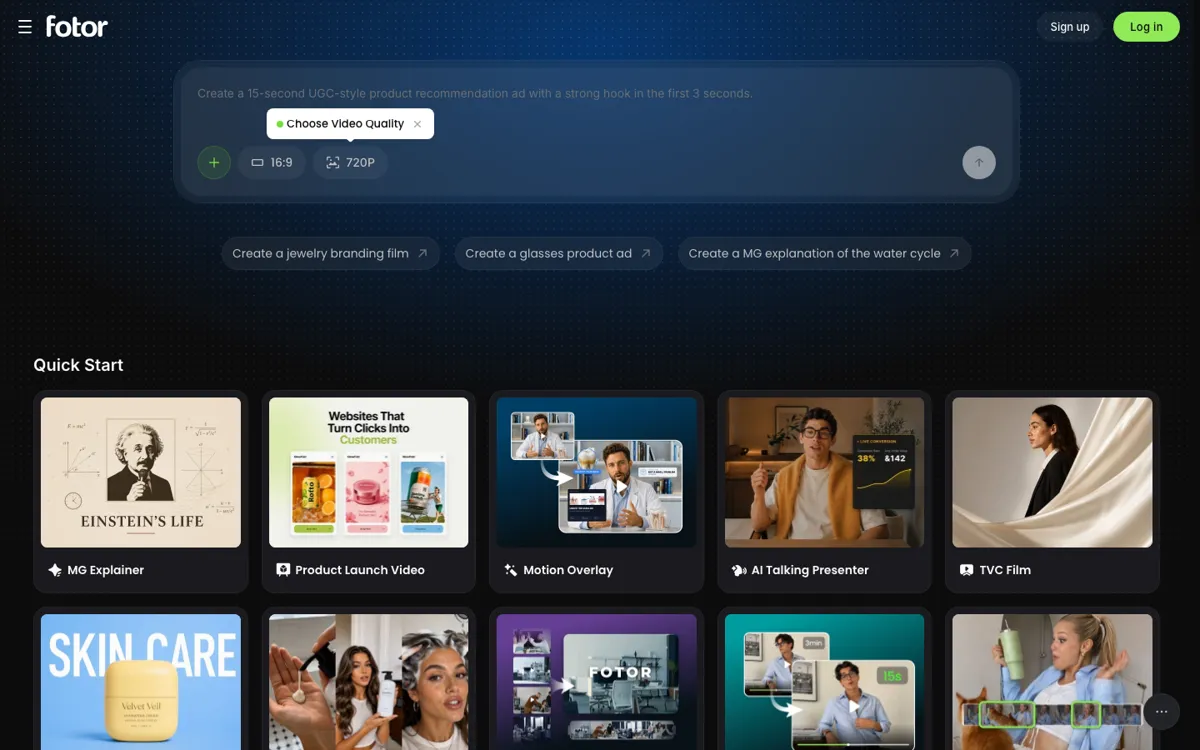
Official Website Snapshot Visit Site ↗

check_circle Pros

  • Fix text, logos, or timing without regenerating the whole cut
  • Builds first drafts from mixed assets, scripts, and prompts
  • Keeps clips, audio, and captions editable on separate tracks

cancel Cons

  • Exports currently stop at 1080p MP4
  • Phone editing is cramped enough that desktop feels safer
  • Public pricing shows quotas clearly but not the paid entry price

Should you use it?

marketing teams turning raw assets into explainers, promos, and short-form edits

Skip it if: you need 4K delivery, deep manual editing, or a fully mature non-beta video pipeline

Is it worth the price?

Freemium

The free tier gives you enough room to test whether the editable timeline actually saves you time. Paying is harder to judge upfront because the limits are clear but the entry price still is not.

The Free Tier

Limited free credits, 50 chats, and 1 AI Agent task

Paid Upgrade

More chats, agent tasks, concurrent generations, and watermark-free HD exports

One thing to know before you start

Break the job into sequence, voice, music, and captions instead of one giant prompt. The edits come out cleaner.

What people actually use it for

Promo From Raw Assets

Drop in existing clips, photos, and a short brief, let the agent build a first cut, then fix brand text or timing on the timeline.

Long Video to Shorts

Feed it long-form footage, have it detect highlights and filler, then trim the draft into vertical social cuts with captions.

Data-Led Explainer

Upload a PDF or script and turn charts, numbers, and narration into motion-graphic explainers without rebuilding the whole piece for each typo.

What does Fotor Video Agent actually do?

The product sits between one-shot AI generators and a normal timeline editor. It drafts footage, music, subtitles, and motion graphics from prompts plus uploaded assets, but it still leaves each clip, caption, and audio layer editable on separate tracks.

This matters most when you are shipping promos or explainers on a deadline and one part keeps breaking. You can rework a single segment instead of rerendering the whole cut, but you still need to accept browser editing and a 1080p export ceiling.

What you can do with it

Build a first-cut video from prompts and uploaded assets
Turn long footage into highlight reels and shorts
Generate subtitles, voiceovers, and soundtrack automatically
Edit individual clips on a multi-track timeline
Insert or generate B-roll from script context

Technical details

export_specs
Up to 1080p MP4; 16:9, 9:16, 4:3, 3:4, 1:1
device_support
Browser-based; mobile landscape works, desktop is recommended
partial_rebuilds
AI can revise one selected segment only
editable_elements
Text, logos, charts, captions, and clips stay editable
supported_uploads
JPG, PNG, WEBP, MP4, MOV, AVI, MP3, TXT, MD, PDF, Word

Top Alternatives to Fotor Video Agent

If Fotor Video Agent is close but still misses the job, try one of these instead.

Key Questions

Can it export 4K video?
No. Right now exports stop at 1080p MP4.
What can you upload?
JPG, JPEG, PNG, WEBP, MP4, MOV, AVI, MP3, TXT, MD, PDF, and Word files.
Can you edit one part only?
Yes. You can pick one segment or clip and ask the AI to redo that part without rebuilding the whole project.
Is there a free plan?
Yes. The free Basic tier includes limited credits, 50 AI Agent chats, and 1 AI Agent task.