FLUX 3 Review

7.4/10

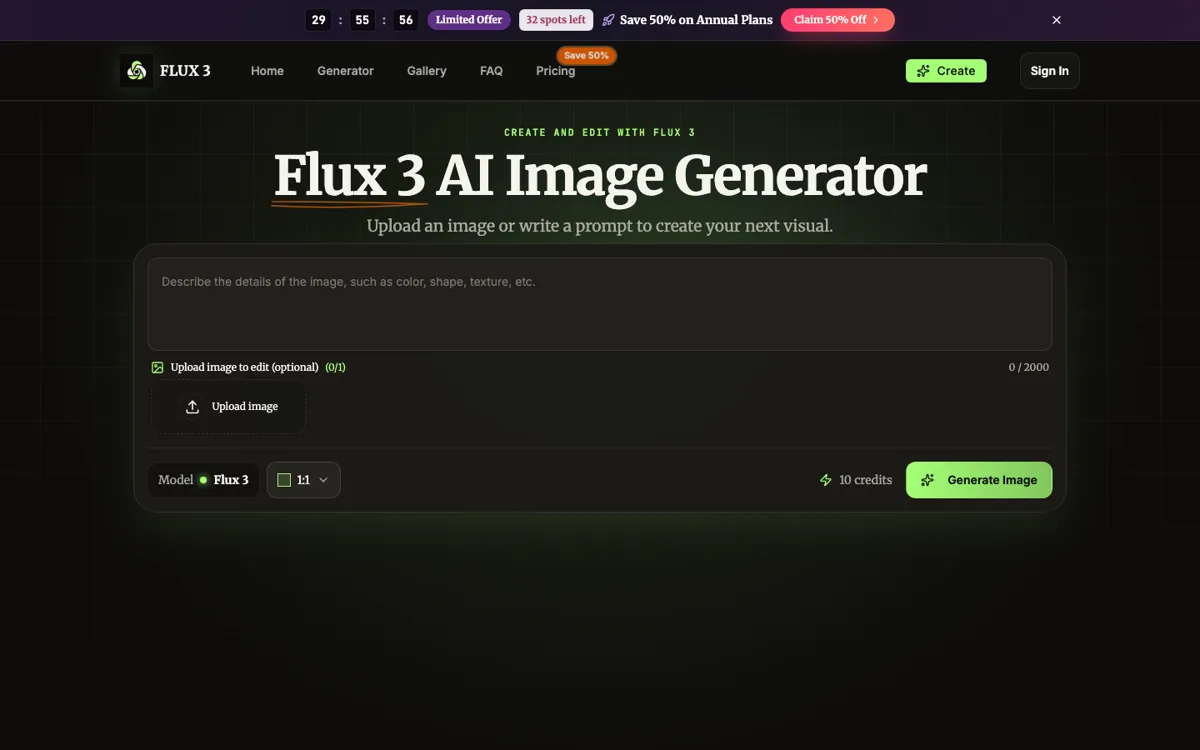
Write a prompt or upload an image to generate and edit visuals in one browser tool.

Review updated August 2026 By The AI Way Editorial 3 min read
Flux3AI Image-to-Image Production Workflows Text-to-Image Web-Based Paid from USD 4.90/mo

Our Verdict

FLUX 3 works best when you want one quick browser flow for prompt-based generation and upload-based edits. Keeping the request, ratio, and cost on the same screen is what makes it easier than bigger image workspaces. The catch is that serious use starts on paid plans.

Official site
Paid product. Starts at USD 4.90.
open_in_new Visit FLUX 3
Official Website Snapshot Visit Site ↗

check_circle Pros

  • Prompting, upload edits, ratio choice, and downloads stay in one browser flow.
  • The credit cost is shown before generation instead of hiding inside checkout math.
  • The example gallery gives you clearer starting points than a blank prompt box.

cancel Cons

  • There is no clear public free tier to lean on once you move past the landing page.
  • The cheapest visible price is tied to annual billing, not a plain low-friction monthly entry.
  • The product stays image-first even though paid plans mention video access.

Should you use it?

creative and marketing teams drafting image concepts or edits without opening a separate editor

Skip it if: you want a confirmed free tier, bulk automation, or a wider design suite beyond prompt-plus-upload image work

Is it worth the price?

Paid Starts at USD 4.90

The plan page is easy to read, but it still pushes you into paid use quickly. Basic starts at $4.90 per month on annual billing, and the 10-credit image cost means casual testing stops feeling casual once you start exploring variants.

Paid Upgrade
From $4.90/month yearly

Paid plans add credits, downloads, history, and faster processing.

One thing to know before you start

Get the prompt close before you sign in. The flow keeps your request, so you can start from a sharper idea instead of burning credits on setup experiments.

What people actually use it for

Test product image directions

Use it to swap backgrounds, materials, or visual mood on one product shot before you commit to a fuller campaign build.

Rough out campaign art

It works best when a written brief needs a fast visual first pass for ads, social posts, decks, or editorial graphics.

Restyle one source image

Upload an existing portrait or image, describe the change, and compare alternate art directions without rebuilding from zero.

What does FLUX 3 actually do?

The win here is not image-magic hype. It is that the flow stays compact: prompt, optional upload, aspect ratio, credit cost, and generation all sit together. That removes a lot of the stop-start friction that shows up when image tools split editing and generation into different pages.

The pricing is honest enough, even if it is not generous. Each image costs 10 credits, the cheapest visible annual plan starts at $4.90 per month, and the paid tiers mostly buy you more room to iterate without feeling pinched every few runs.

What you can do with it

Generate new images from text prompts.
Edit one uploaded image with prompt instructions.
Choose square, portrait, or landscape output ratios.
Download generated images after each run.
Use paid plans for history, faster processing, and more credits.

Technical details

credit_meter
The generator and pricing page both show 10 credits per image.
ratio_selector
Square, portrait, and landscape ratios are chosen before generation.
generation_history
Paid plans promise permanent generation history and unlimited downloads.
signed_out_handoff
Signing in preserves the prompt, ratio, and edit intent in the browser.
single_request_input
One prompt and one uploaded image stay in the same edit request.

Top Alternatives to FLUX 3

If FLUX 3 is close but still misses the job, try one of these instead.

Key Questions

Can FLUX 3 edit an uploaded image?
Yes. You can upload one image and describe the change in the same request instead of bouncing to a different editor.
How many credits does one image use?
10 credits per image.
What happens if you generate while signed out?
You get the sign-in panel, but your prompt, chosen ratio, and edit intent stay put instead of disappearing.
Is FLUX 3 run by Black Forest Labs?
No. It is an independent product, not a Black Forest Labs tool.