career-ops Review

8.6/10

Run a local AI job-search pipeline from your coding CLI.

Review updated June 2026 By The AI Way Editorial Tested 311+ tools across the site 6 min read
career-ops AI Agents CLI Tool HR Tech Open Source Privacy Focused Recruiting Free

Our Verdict

career-ops is a strong pick for technical job seekers who want AI to filter roles, tailor resumes, and prepare application answers without handing their career data to another SaaS database. Its edge is discipline: the rubric tells users not to apply below the threshold, and the apply mode keeps the human in control. The cost is setup time; anyone who hates terminals will reach value much slower than with Jobscan, Teal, or a hosted resume scanner.

Try it
Free to start.
open_in_new Try career-ops

What people keep saying about it

The visible community signal is strong for a young open-source job-search project: GitHub Trending surfaced it at roughly 49K stars with 193 new stars that day, the live API count was 49,381 stars and 10,207 forks, and the Discord community is listed at 3,300+ members. The enthusiasm is tied to the candidate-side AI angle and local data model; the obvious pushback is that the setup feels like developer tooling, not a mass-market job board app.

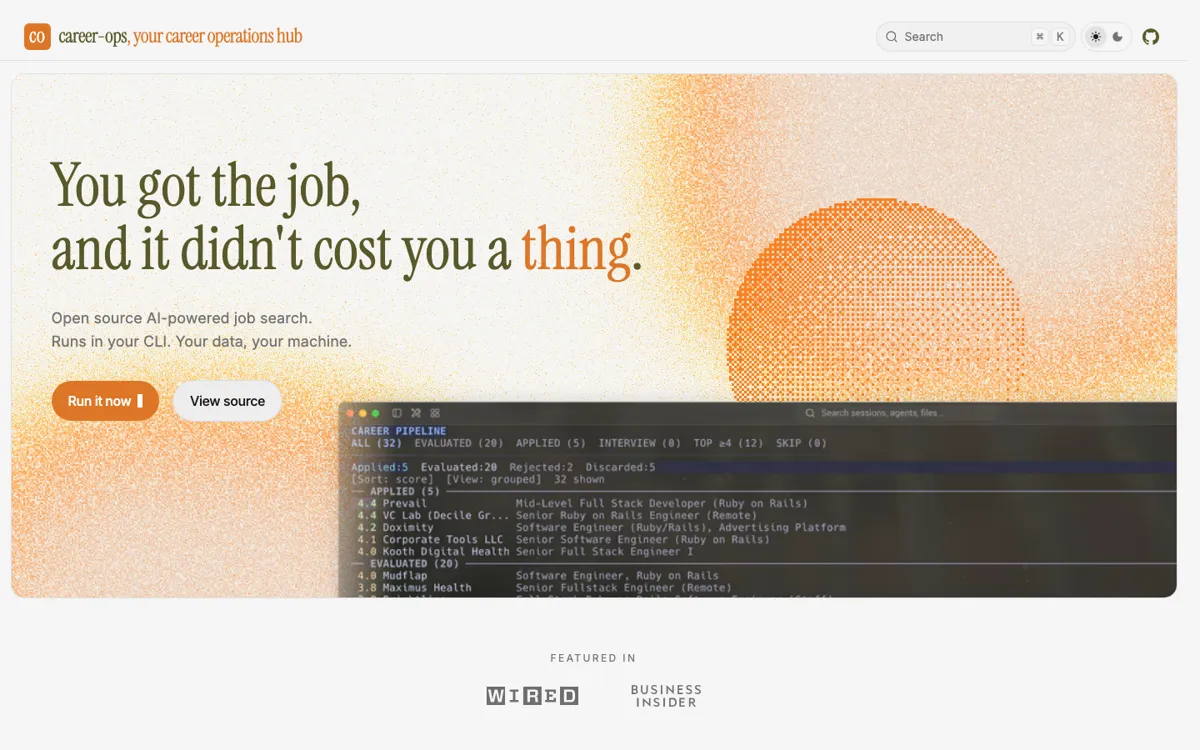
Official Website Snapshot Visit Site ↗

check_circle Pros

  • The local-first model gives job seekers more control over CVs, reports, and application history than cloud resume scanners that require uploads.
  • The published scoring rubric makes the recommendation easier to audit than closed match scores, especially when a role looks attractive but fails the user profile.
  • The apply mode attacks the slowest part of serious applications: drafting role-specific answers for open-ended portal questions while leaving submission to the user.
  • GitHub traction is unusually high for a job-search tool, with roughly 49K stars, 10K forks, active releases, and a 3,300+ member Discord community.

cancel Cons

  • Setup is real: Git, Node, npm, Playwright, profile files, a text CV, and an AI coding CLI are all part of the path before the first useful run.
  • It is not a hosted SaaS with a polished GUI, so non-technical users may prefer a less capable tool that starts from a browser form.
  • The actual recurring cost is external to the product: users still pay for whichever AI CLI or model provider they choose.
  • The system depends on LLM judgement for the global score, so users still need to read the report instead of treating the number as objective math.

Should you use it?

Best for: Developers, technical operators, and job seekers who already use Claude Code, Codex, OpenCode, Gemini CLI, Qwen, or Copilot and want a local pipeline for scoring roles, tailoring resumes, drafting portal answers, and tracking applications.

Skip it if: Skip it if you want a web form that scans one resume in two minutes, if you are not comfortable with terminal setup, or if your priority is submitting many applications with minimal review.

Is it worth the price?

Free

The tool itself is free forever, MIT-licensed, and has no paid tier or premium features. The real budget item is the AI CLI behind it: if you already pay for Claude Pro, Codex, Gemini CLI, or another coding agent, career-ops can ride on that subscription; if not, the free price tag does not mean zero operating cost.

The Free Tier

MIT-licensed repo with no paid tier, no account, no telemetry, and no premium features; users still need their own AI coding CLI or model subscription.

One thing to know before you start

Run one high-quality job posting through the full pipeline before scanning dozens of portals. If the report, score, tailored PDF, and apply-mode answer drafts do not match your real career story, fix profile.yml and modes/_profile.md before trusting batch scans.

What people actually use it for

Decide whether a role is worth applying to

Paste a job URL or description and let career-ops compare it with your CV, target roles, compensation notes, and location policy before it recommends apply, maybe, or skip.

Create a tailored PDF resume for one listing

Use the tailor and PDF path when a role clears the score threshold and you need a customized resume output without overwriting the original cv.md source.

Draft open-ended application answers

Open a Greenhouse, Ashby, or Lever form and use apply mode to draft answers for questions such as why this role, project examples, or salary expectations, then edit before submitting yourself.

Scan company portals without building a spreadsheet

Run the scan path across preconfigured company career pages, then use the ranked output and tracker to decide which listings deserve deeper evaluation.

What does career-ops actually do?

career-ops has a clearer philosophy than most AI job-search products: it is a filter first. Instead of pushing users to apply everywhere, the product scores roles from 1.0 to 5.0 and treats 4.0 as the apply line. That matters because job search tools often optimize for volume, which can waste both candidate and recruiter time. Here, the useful output is not just a prettier resume. It is a decision: which postings deserve attention, which gaps matter, how the role maps to the user CV, and what the application should emphasize.

The local setup is the reason the product can make a privacy argument, but it is also the main adoption tax. The user clones the GitHub repo, installs packages, adds a plain-text CV, fills profile files, opens an AI coding CLI, and runs commands from the project folder. In exchange, the CV, evaluations, reports, PDFs, and tracker stay on the user machine. That is a serious difference from cloud SaaS resume tools, especially for job seekers who do not want their application history and salary targets sitting in another vendor account.

The strongest feature is the step after resume scoring. The apply mode reads open-ended application questions on Greenhouse, Ashby, and Lever, drafts contextual answers from the CV and job description, and hands them back for review. That can save real time because the slowest part of a careful application is often explaining fit, projects, and salary expectations in the portal form. The product also draws a firm boundary: it does not submit forms, invent experience, overwrite the source CV, leak phone numbers, or recommend below-market compensation.

What you can do with it

Evaluate job listings against a local CV and profile using a published six-dimension rubric with a 1.0-5.0 recommendation score.
Generate tailored PDF resumes per role and keep the original CV source separate from customized outputs.
Draft paste-ready answers for Greenhouse, Ashby, and Lever open-ended application questions without submitting the form for the user.
Scan 150+ company career portals and return ranked jobs without spending AI tokens on the portal scan step.
Track applications in a Go terminal dashboard with stages, reports, tailored outputs, and follow-up context.
Run through Claude Code, Codex, OpenCode, Gemini CLI, Qwen, or GitHub Copilot instead of locking the user to one AI provider.

Technical details

platform
Local-first CLI project that requires Git, Node.js 18+, npm install, Playwright Chromium, a profile YAML, cv.md, and an AI coding CLI such as Claude Code, Codex, OpenCode, Gemini CLI, Qwen, or GitHub Copilot.
deployment
Open-source MIT repo with JavaScript, Go, Shell, HTML, TeX, and Nix code; GitHub API showed 49,381 stars, 10,207 forks, 150 open issues, and latest release career-ops-v1.8.0 on 2026-05-15.
api_available
The project scans Greenhouse, Ashby, and Lever through public APIs, uses standard Playwright for other portal work, and intentionally rejects anti-bot fingerprint masking and auto-submit behavior.

Top Alternatives to career-ops

If career-ops is close but still misses the job, try one of these instead.

Key Questions

Is career-ops free?
Yes. The project is MIT-licensed, free forever, and has no paid tier; the user still pays for whichever AI coding CLI or model provider runs the agent.
Does career-ops auto-apply to jobs?
No. It can scan, score, tailor, draft answers, and track applications, but the user reviews the output and submits the application manually.
What AI tools can run career-ops?
It works with Claude Code, Codex, OpenCode, Gemini CLI, Qwen, and GitHub Copilot, so users can choose the coding agent they already use.
What setup does it require?
A user needs Git, Node.js 18 or later, npm install, Playwright Chromium, a local cv.md file, profile configuration, and an AI coding CLI login.
How is it different from Jobscan?
Jobscan is easier for quick ATS keyword scans in a browser. career-ops is heavier, but it adds local data ownership, published scoring, portal scanning, tailored PDF output, answer drafting, and a terminal tracker.