AI Phone Review

6.8/10

Translate live phone, voice, and video calls across languages in real time.

Review updated July 2026 By The AI Way Editorial 3 min read
AI Phone Android App iOS App Multi-language Real-Time

Our Verdict

AI Phone is the more interesting pick when the call itself is the job and text translation would slow everything down. Its edge is simple: one mobile app tries to cover regular calls, app calls, subtitles, and in-person translation. The catch is that the public site still does not explain long-run cost clearly enough.

Official site
Public pricing is not confirmed. Verify it on the official site.
open_in_new Visit AI Phone
Official Website Snapshot Visit Site ↗

check_circle Pros

  • It stays inside live calls instead of pushing both sides back to chat.
  • One app covers phone calls, app calls, in-person speech, and camera translation.
  • The product pitch is concrete enough to map to travel, family, and cross-border business calls.

cancel Cons

  • Public pricing is still too vague to estimate ongoing heavy call use.
  • The site promises accuracy, but gives little hard proof for noisy or messy calls.
  • If most of your translation happens in documents, this solves the wrong problem.

Should you use it?

live multilingual calls for travel, family, and small cross-border business conversations

Skip it if: you need clear public pricing, desktop workflows, or document-first translation instead of live calls

Is it worth the price?

Pricing not confirmed

You can test the free start, but the public site still hides the real cost of heavier calling. Treat it as a workflow trial first, not a predictable spend commitment.

One thing to know before you start

Set up caller ID and Quick Replies before the first real call. The FAQ treats both as setup steps, not optional polish.

What people actually use it for

Travel and booking calls

This is the clearest fit when the call itself is the task. Hotel reservations, transport, clinics, or store questions all move better when you can keep talking instead of translating line by line.

Cross-border client calls

Small teams and freelancers can use it for sales, scheduling, or support calls where waiting for a human interpreter would kill the pace of the conversation.

Family calls across languages

It makes more sense than text translators when the point is hearing tone, reacting naturally, and not breaking the flow every few seconds.

What does AI Phone actually do?

AI Phone only makes sense if live conversation is the pain point. Most translators assume you can slow down, paste text, and wait. This app is aimed at the opposite case: phone calls, app calls, and spoken exchanges that keep moving whether you are ready or not.

The homepage is stronger on breadth than on buyer clarity. It claims 150+ languages, 20+ social apps, transcripts, summaries, subtitles, and camera translation, which is enough to show why one mobile app could replace tool-switching. But the site still does not show a real public pricing table, so you can judge the workflow faster than you can judge the long-run cost.

What you can do with it

Translate live phone calls in both directions during the conversation.
Add real-time translation to voice and video calls in social apps.
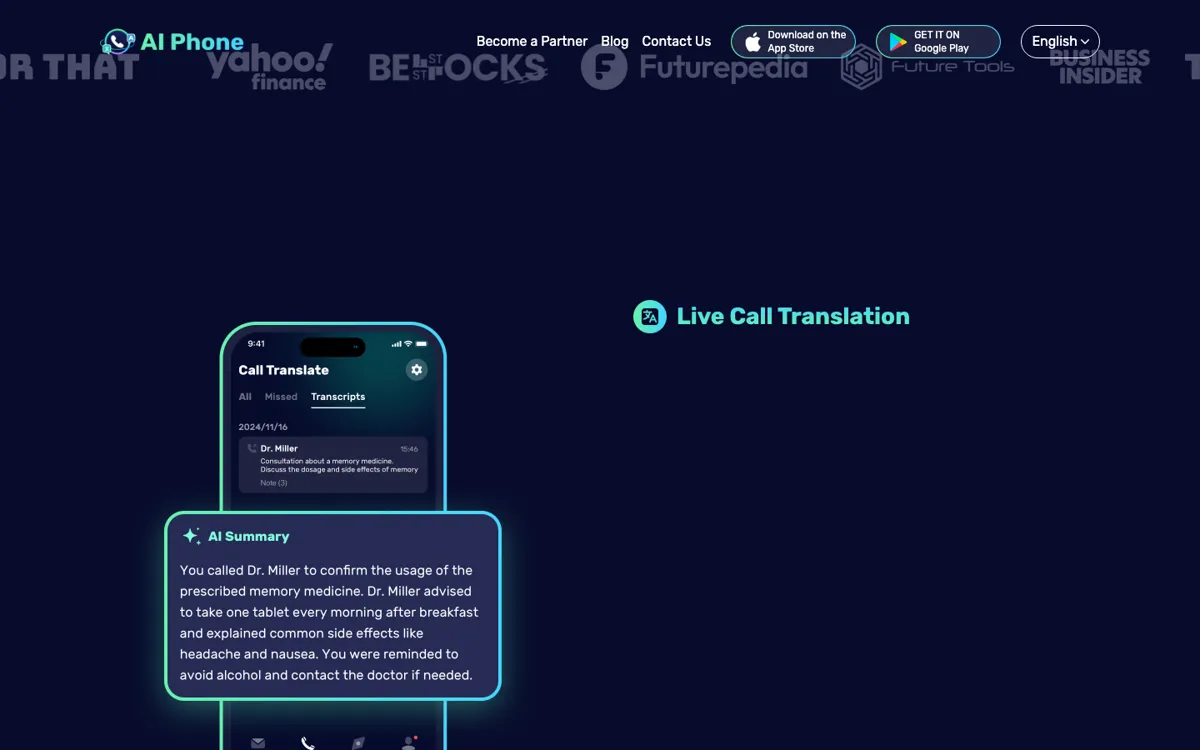
Show AI call summaries and transcripts after translated calls.
Use in-person conversation mode for face-to-face exchanges.
Translate text from photos, camera views, and typed messages.

Technical details

call_output
Can return translated speech, subtitles, transcripts, and AI summaries.
mobile_only
Runs as an iOS and Android app rather than a desktop call tool.
call_controls
FAQ points to caller ID setup, Quick Replies, voice choice, and Speech Translation controls.
language_coverage
Supports 150+ languages and accents.
social_call_support
Works across 20+ social apps, including WhatsApp and WeChat.

Key Questions

Does it handle regular phone calls?
Yes. The homepage frames live phone call translation as a core feature, not just an extra next to app-based calling.
What other call types does it cover?
Besides regular calls, the site says it also handles voice and video calls in social apps, plus in-person conversation mode.
How many languages does it support?
The homepage claims support for more than 150 languages and accents.
Is pricing clear before install?
No. The site pushes a free start, but it still does not expose a clean public pricing table or hard usage limits.