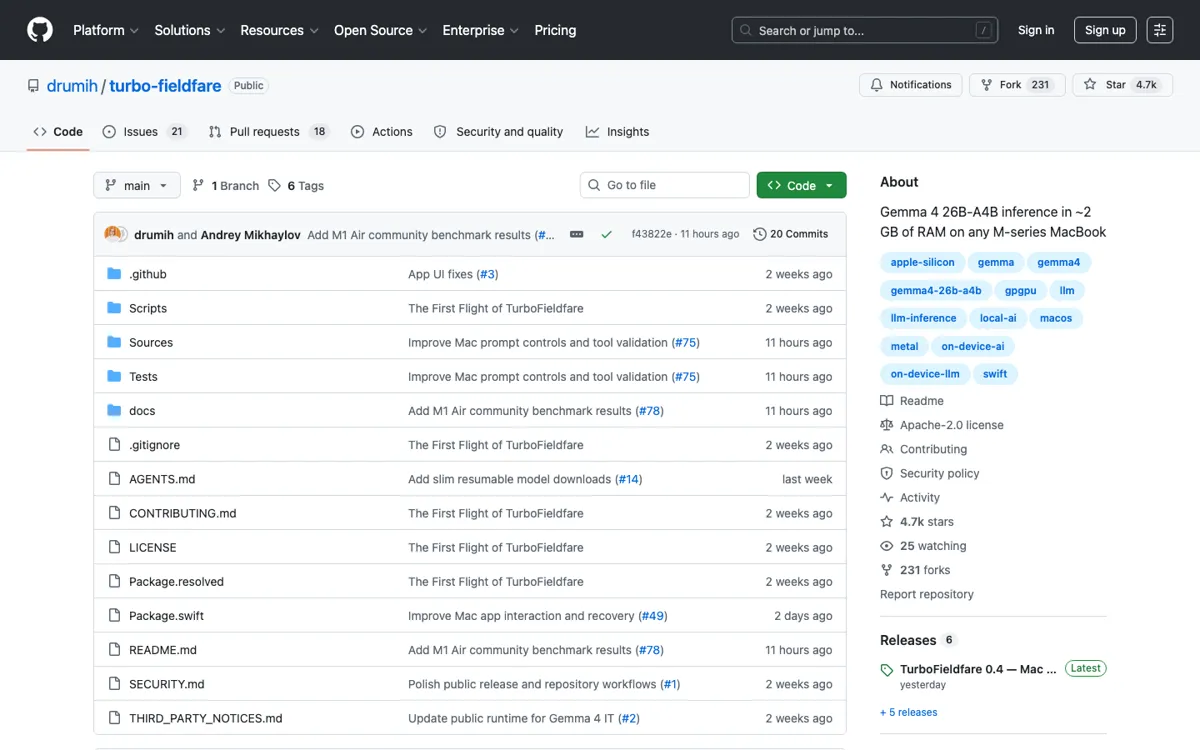
TurboFieldfare Review

7.0/10

Run Gemma 4 locally on Apple Silicon Macs with a ~2 GB memory footprint.

Review updated August 2026 By The AI Way Editorial 3 min read
API Available CLI Tool Mac App Open Source

Read this first

Apple Silicon and macOS 26+ only, and it runs one Gemma checkpoint.

Our Verdict

TurboFieldfare is the sharper pick when your real problem is keeping Gemma 4 local on an 8 GB Mac. It wins on memory footprint, not on speed or model choice. You give up easier setup, broader model support, and some throughput on bigger Macs.

Official site
Public pricing is not confirmed. Verify it on the official site.
open_in_new Visit TurboFieldfare
Official Website Snapshot Visit Site ↗

check_circle Pros

  • Leaves enough RAM free to keep working on an 8 GB Mac.
  • One install gives you a Mac app, CLI, and local Chat Completions endpoint.
  • Streams experts from SSD instead of forcing the full checkpoint into RAM.

cancel Cons

  • Locked to Gemma 4 26B-A4B and Apple Silicon on macOS 26+.
  • First install still pulls about 15 GB before you can generate.
  • Decode speed trails full-memory runtimes on larger Macs.

Should you use it?

keeping Gemma 4 local on a Mac when memory pressure matters more than raw speed

Skip it if: you need broad model support, Windows or Linux, or peak local throughput on a larger Mac

Is it worth the price?

Pricing not confirmed

There is no paid plan to weigh here. The real bill is local: a source build, about 15 GB of download and storage, and a Mac new enough for macOS 26.

One thing to know before you start

Install the model through the Mac app first. Once the .gturbo folder is ready, the local server is much easier to plug into OpenCode or other OpenAI-compatible clients.

What people actually use it for

Low-memory local chat

Keep Gemma 4 running on an 8 GB MacBook Air when you do not want local chat to crowd out the rest of your desktop.

Mac-native API testing

Expose one local Chat Completions endpoint for OpenCode, Pi, or scripts that already expect an OpenAI-style base URL.

Apple Silicon benchmarking

Check whether your Mac lands closer to the slow 8 GB Air path or the much faster larger-Mac results before you commit to this setup.

What does TurboFieldfare actually do?

The part that matters most is the split between memory and disk. TurboFieldfare keeps the shared core plus FP16 KV cache in memory, then pulls only the routed experts it needs from SSD. That is why the live footprint stays near 2 GB even though the installed text-only model still takes about 14.3 GB on disk.

The local server is useful when you want one Gemma endpoint on your own machine, but the boundaries stay tight. It binds to 127.0.0.1, can return tool-call objects without executing them, does not handle images, and still keeps you inside one Apple Silicon, one-model setup.

What you can do with it

Runs Gemma 4 26B-A4B on Apple Silicon Macs with streamed SSD experts
Provides a native Mac app for model install and instruction chat
Starts a loopback OpenAI-compatible Chat Completions server
Includes a CLI for raw completion and scripted local runs
Repackages the pinned model without writing a full snapshot to disk

Technical details

live_memory
~2 GB weights plus 4K KV cache in memory
install_size
~14.3 GB text-only model install
model_target
Gemma 4 26B-A4B only
platform_floor
Apple Silicon, macOS 26+, Metal 4, Swift 6.2+
expert_streaming
Reads only selected experts from SSD for each token

Key Questions

Does it run more than one model?
No. It is built around one Gemma 4 checkpoint, so it does not behave like a broader local model manager.
Can it replace the OpenAI API?
Only for local text chat. It serves Chat Completions on 127.0.0.1 and can return tool calls, but your client still has to run those tools.
What hardware does it need?
You need an Apple Silicon Mac, macOS 26 with Metal 4, Swift 6.2 or newer, and about 14.3 GB of free storage for the text-only install.
Is the 2 GB claim the full install size?
No. The 2 GB number is the live memory footprint. The installed text-only model still takes about 14.3 GB on disk.