MiniMind Review

8.5/10

Train a 64M language model from scratch and inspect the full stack.

Review updated September 2026 By The AI Way Editorial 3 min read
Jingyao Gong API Available Open Source Self-Hosted Free

Our Verdict

Pick MiniMind if you want to train, inspect, and serve a small LLM yourself instead of poking at a sealed API. The payoff is that you can follow the whole stack end to end. The cost is obvious too: you are here to learn and tinker, not to get top-tier model quality with zero setup.

Official site
Free to start.
open_in_new Try MiniMind

What people keep saying about it

The excitement is easy to understand: a lot of people wanted one place where they could actually read through the full training stack in plain PyTorch. The friction shows up in the usual spots too, especially setup, config mistakes, and GPU or memory limits once people move past the first demo.

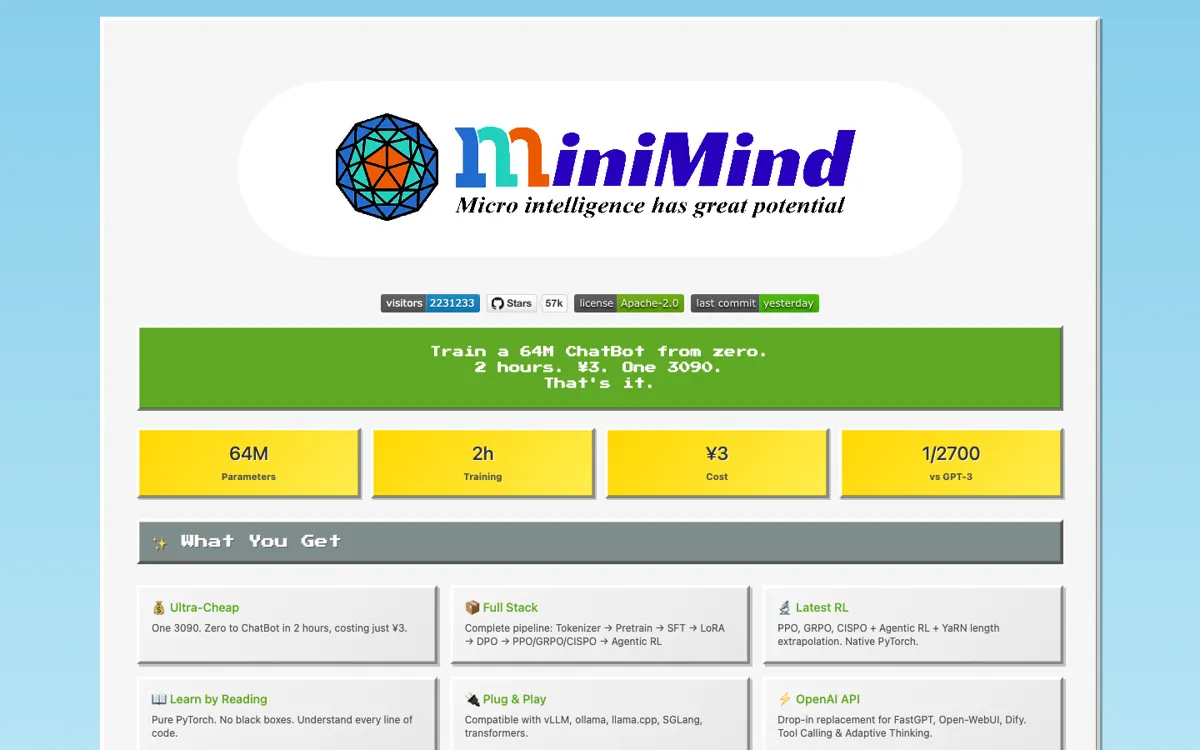
Official Website Snapshot Visit Site ↗

check_circle Pros

  • You can train, align, and serve in one place.
  • Native PyTorch code makes the moving parts easier to inspect.
  • The included API server lets you test local integrations quickly.

cancel Cons

  • The headline 2-hour claim only covers one SFT epoch on one RTX 3090.
  • You still need to read configs and training code to get real value.
  • A 64M teaching model is not a substitute for top hosted LLM quality.

Should you use it?

developers learning how LLM training, alignment, and serving fit together

Skip it if: you want a hosted model with strong output quality and no training overhead

Is it worth the price?

Free

You do not pay a license fee to get started, which makes it easy to clone and experiment. What you do pay with is GPU time, setup time, and patience, and the RMB 3 headline only covers a narrow training case rather than every path through the project.

The Free Tier

Free to use and modify under Apache-2.0.

One thing to know before you start

Run the smallest documented path first, then inspect tokenizer and SFT scripts before touching the RL stages.

What people actually use it for

Learn the whole training stack

Use it when the goal is understanding what changes between tokenizer work, pretraining, SFT, preference tuning, and serving rather than just calling an API.

Prototype local chat serving

The included OpenAI-compatible server is useful when you want a lightweight local target for FastGPT, Open-WebUI, or similar integrations.

Teach small-model internals

MiniMind works well for labs, blog posts, and internal demos where readable code and manageable model size matter more than headline benchmark scores.

What does MiniMind actually do?

MiniMind works because it does not hide the messy parts. You can trace tokenizer training, data handling, alignment stages, and serving code without getting trapped inside a thin wrapper that teaches you nothing.

The ceiling is clear too: this is a 64M-scale learn-by-building project, not your shortcut to frontier outputs. It is great for understanding how the pieces fit together and far less exciting if all you want is the strongest possible answers right now.

What you can do with it

Train a 64M base model from tokenizer to chat serving.
Study native PyTorch implementations of core LLM training stages.
Run an OpenAI-compatible API server for local experiments.
Test chat behavior through the included Streamlit WebUI.
Extend into MoE, vision, omni, and diffusion variants.

Technical details

interop
Works with vLLM, ollama, llama.cpp, SGLang, and transformers.
license
Apache-2.0 licensed open-source project.
model_scale
MiniMind-3 is a 64M model with 8 layers and about 0.5 GB memory.
serving_path
Includes an OpenAI-compatible API server and a Streamlit chat UI.
training_scope
Covers tokenizer, pretrain, SFT, LoRA, DPO, PPO, GRPO, CISPO, and Agentic RL.

Key Questions

Is MiniMind free to use?
Yes. It is released under Apache 2.0 and is free to use and modify.
What does the 2-hour training claim actually mean?
It refers to one SFT epoch on a single NVIDIA 3090, not the full time or cost of every training stage.
Can MiniMind serve an app locally?
Yes. You get an OpenAI-compatible API server plus a Streamlit chat WebUI for quick local testing.
Who gets the most value from MiniMind?
Developers and researchers who want to inspect the training pipeline itself. It is far less appealing if you only need the strongest possible model output with minimal setup.