AI Ongaku Review

8.9/10

Make Japanese songs or BGM from lyrics, mood, genre, and length.

Review updated September 2026 By The AI Way Editorial 3 min read
AI Ongaku Commercial Rights Music Generation Text-to-Music Web-Based Paid from JPY 14800.00/mo

Our Verdict

AI Ongaku is best for Japanese lyrics, BGM prompts, and fast full-track retries. It is good for roughing out a usable song or cue. It breaks down when the job is fixing one verse, hook, or stem without paying for another full render.

Official site
Paid product. Starts at JPY 14800.00.
open_in_new Visit AI Ongaku
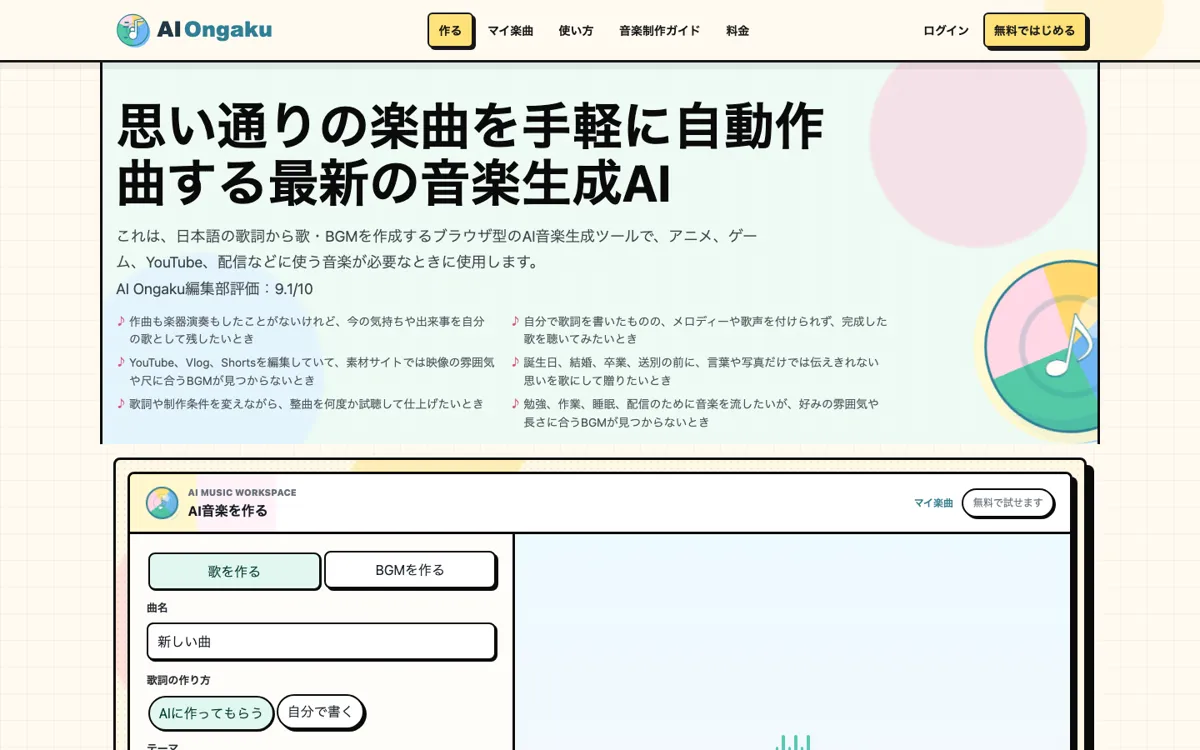
Official Website Snapshot Visit Site ↗

check_circle Pros

  • Japanese lyrics, BGM settings, and track history live in one browser flow.
  • 30-second tests make it easier to reject weak directions before a full take.
  • Failed generations refund frozen credits instead of silently charging retries.

cancel Cons

  • Plans are annual and monthly credits do not roll over.
  • Every revision creates a new full take instead of fixing one section.
  • Commercial use still depends on the license panel saved for each track.

Should you use it?

Japanese songs or video BGM where full-take retries are acceptable

Skip it if: you need DAW-style partial edits, stems, or unlimited retries that roll over month to month

Is it worth the price?

Paid Starts at JPY 14800.00

The annual plans fit steady monthly output. Occasional track makers pay for credits that reset every month, so a few skipped months can make the entry plan feel wasteful.

Paid Upgrade
¥14,800/year

1,000 monthly credits for songs and BGM

One thing to know before you start

The 30-second preview is the cheap place to lock mood and tempo before spending 40 credits on a full take.

What people actually use it for

Japanese theme song draft

Your own lyrics or an AI lyric draft can become a quick chorus check once voice, genre, and tempo are set.

Short-form video BGM

A 30-second cue for YouTube, Shorts, TikTok, or streams comes from the use case, mood, genre, and build setting.

Client mood demo

A quick full take is enough to show tempo, tone, and emotional direction before paying for a deeper human production pass.

What does AI Ongaku actually do?

There are two clean starting points: write a song from Japanese lyrics, or build background music from a use case, mood, genre, length target, and build pattern. That feels closer to a real songwriting or video-editing brief than a blank prompt box.

Revisions are the part to watch. Each rerun gives you another full take, with version history and adoption handled after the render. Comparing complete directions works well; repairing one bad section gets expensive.

What you can do with it

Draft Japanese lyrics with AI or paste your own words.
Generate 30-second previews or 180-second full-song targets.
Build BGM from use case, mood, genre, and build-up.
Regenerate whole takes and compare version history before adopting one.
Download adopted tracks as MP3 with saved license details.

Technical details

lyric_mode
AI-drafted or user-written Japanese lyrics
revision_model
Every rerun creates a new full take
download_rights
MP3 downloads with per-track license records
workspace_memory
Version history, undo and redo, favorites, and folders
generation_targets
30-second previews or 180-second full-song targets

Key Questions

Can it make both songs and BGM?
Yes. The workspace has a lyric-led song path and a separate BGM path with use case, mood, genre, and build settings.
What changes between 30 seconds and 180 seconds?
30 seconds is for quick previews. 180 seconds is the full-song target, though the final result can still land a bit short or long.
What happens when a generation fails?
Failed lyric drafts or music generations return the frozen credits and show the error before you rerun.
Can you check commercial-use rights per track?
Yes. Adopted versions keep their own license information, so you can check the allowed use before publishing.